
Integration in Sharepoint Online
If you wish, Your Semantics App can be integrated into Microsoft's SharePoint online application. This allows users of your entity to always have the app at hand during their work.
Below, we will explain in detail the procedure for integrating Semantics Chat into SharePoint Online: 👇
Add the application to the SharePoint catalog :
Open the SharePoint catalog here
Click on the "Upload" button then select the file
Deployment
Add the application to the SharePoint site :
- Go to the SharePoint site
- Click on pages
- Select the page where you want to add the chatbot
- Click on edit.

Add the Chat
- Click on the plus icon that appears on the page when hovering, search for the Chat application in the window that appears and click on it
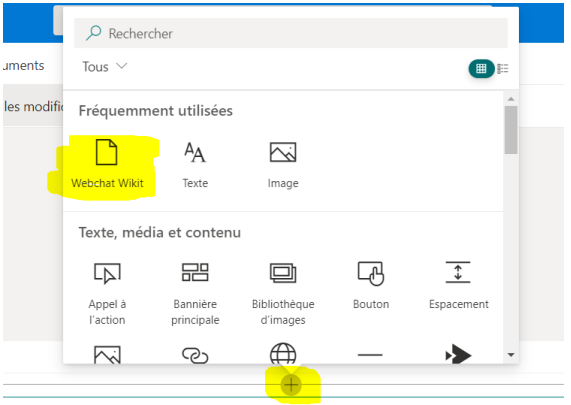
Search for the app
- Click on the pencil icon to modify the Chat settings
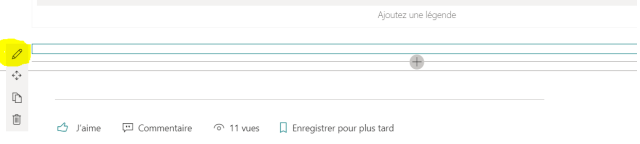
Modify settings
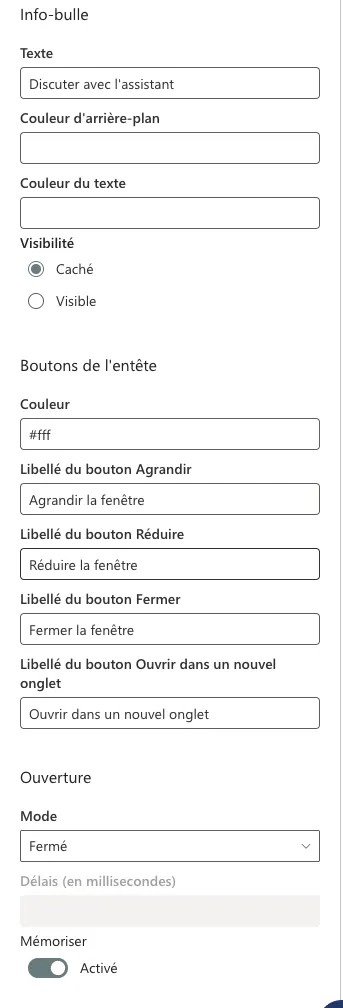
- Modify the fields of the form that appears on the right to configure and personalize the Chat.
- Set the identification type to login
- Set the SharePoint Online identifier type to Email
Modify information in the configuration

And there you have it, your Semantics Chat App is now integrated and ready to use on your SharePoint Online!