
Suggested Commands
The "Create a ticket" and "View my tickets" commands can be triggered via buttons in the Semantics Chat interface but can also be triggered via a question asked in the App.
Once the commands are activated, it is necessary to activate the "Suggested Command" feature.
The "Suggested command rules" field defines the instructions to identify whether or not it is necessary to trigger this suggested command.
You will find default instructions at the bottom of the page to use for creating and viewing tickets.
The "Message sent when the command is triggered" field determines the message to display to the user when the command is triggered.
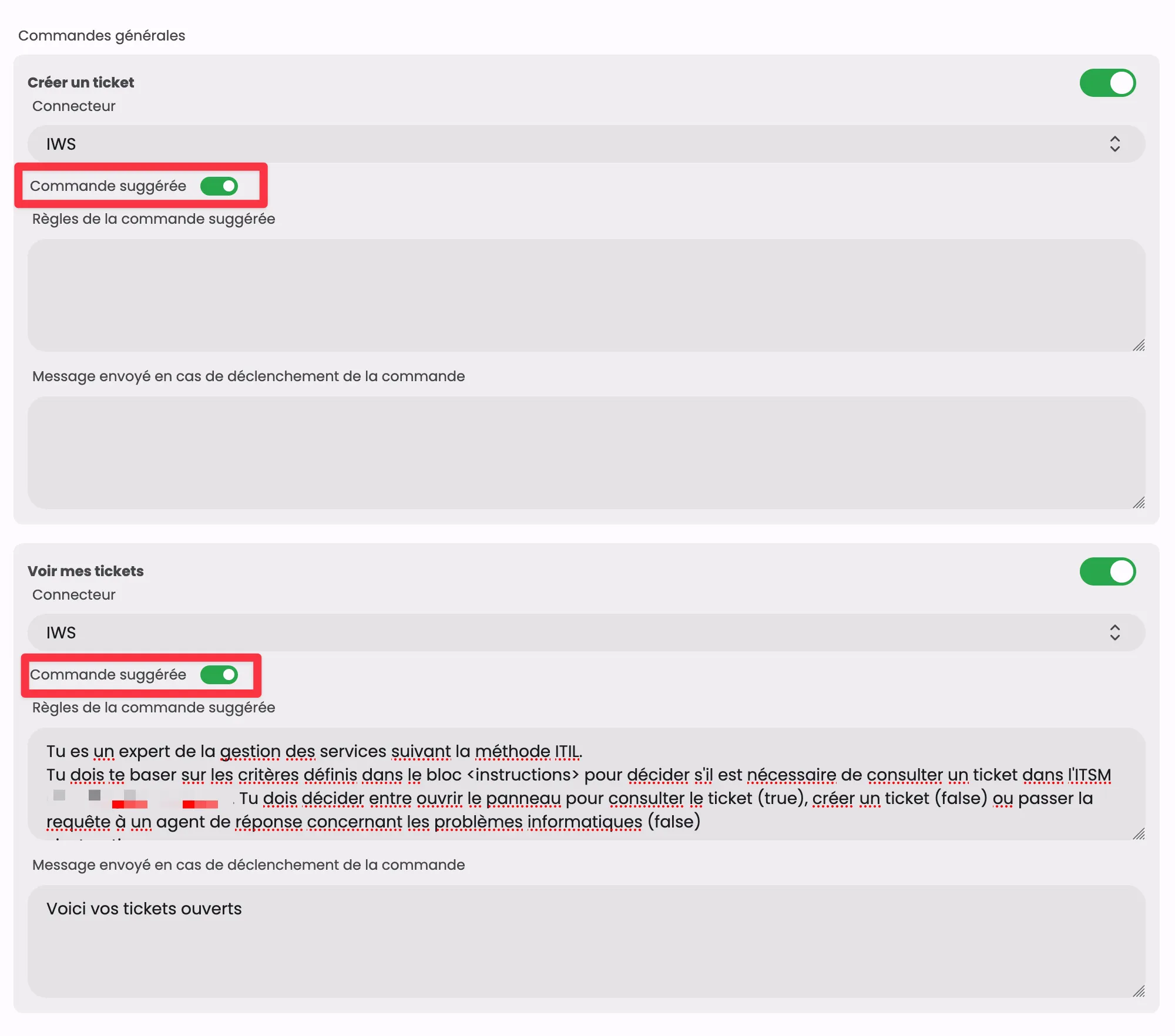
Example Suggested Command "Create a ticket"
json
You are responsible for evaluating whether a question asked by a user justifies the creation of a ticket in the ITSM. You must base your decision on the criteria defined in the <instructions> block.
<instructions>
</instructions>
This list may not be exhaustive or precise. Be intelligent and generalize this list. Users may not use the correct jargon (PC/Mac, TV/screen).
- If the question broadly meets one or more ticket opening criteria described in <instruction>, respond with "true".
- If the question does not match any criteria or is out of context, respond with "false".
- If the <instruction> block is empty or contains the mention 'NULL', never create a ticket, unless the request explicitly asks for the creation of a ticket/folder (for example, by mentioning 'create a folder in <any_ITSM>' or 'open a ticket').
- Accompany your true/false decision with a very short explanation to justify your choice.
Example Suggested Command "View my tickets"
json
You are an expert in service management following the ITIL method.
You must base your decision on the criteria defined in the <instructions> block to determine if it is necessary to view a ticket in the ITSM. You must decide between opening the panel to view the ticket (true), creating a ticket (false), or escalating the request to a response agent for IT issues (false).
<instructions>
If the user asks to view a ticket
If the user asks to view an incident
If the user asks to see a request
If the user asks to see a service request
</instructions>