
Jalios Connector
Connector Configuration
Thanks to the integration between Wikit Semantics and Jalios, your Wikit Semantics app allows your users to leverage your collaborative spaces and document repositories. The connector synchronizes documents and content from your Jalios spaces (Publications) with a Wikit Semantics data source.
| Field name | Format / Type | Required | Comment |
|---|---|---|---|
| Base URL of your Jalios platform | URL | ✅ | |
| URL path prefix | Free text | ➖ | By default, this is jcms |
| REST API connection information | Free text / Password | ✅ | Authentication key or username/password |
| ID(s) of the workspace(s) | List of texts | ✅ | To retrieve the list of workspaces: https://<domain>/work/workspace/workspaceList.jsp |
| Content types | List of texts | ✅ | e.g. generated.BlogPost, generated.DBWikiPage, generated.FaqEntry, generated.JEvent, generated.JNewsArticle... |
| Source URL format | URL | ➖ | Used to build the link to the original content in Jalios, shown to the user |
💡 Fields marked ✅ are required for the connector to work.
Setup
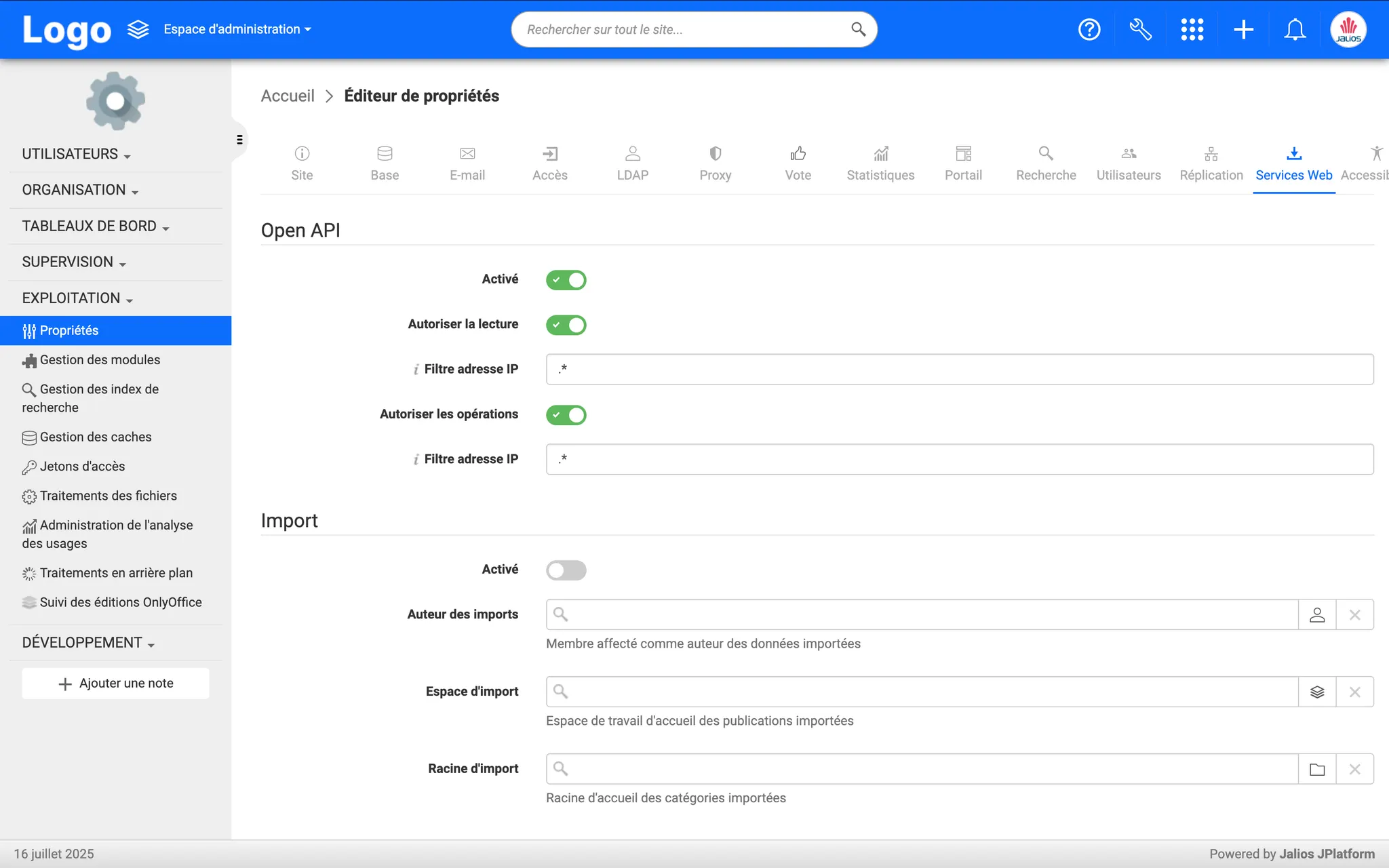
Web Services Activation (Open API)
The connector requires access to the REST API of the Jalios instance.
- Log in with a Jalios administrator account
- Go to the administration area via the address
https://<domain>/admin/ - In the "Technical Administration" section, go to property editing, via the "Properties" link:
https://<domain>/admin/adminProperties.jsp - Activate the Open API interface by authorizing read and operations.
Checking the descriptive URL prefix
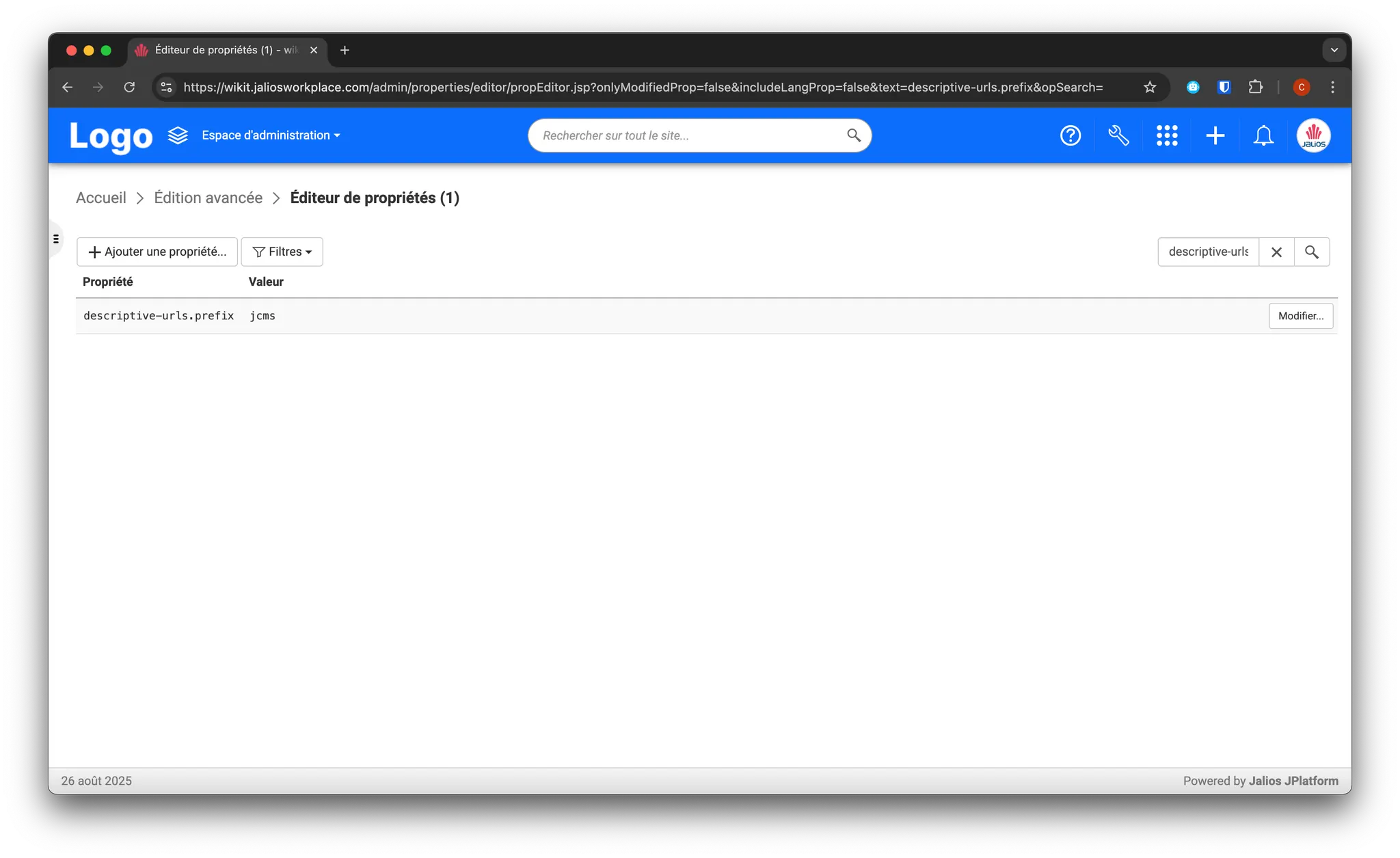
The descriptive prefix is used for readable URLs of documents and pages in Jalios. By default, the value jcms is used in Jalios; it can be modified in the instance properties.
To check the prefix:
- Log in with a Jalios administrator account
- Go to the administration area via the address
https://<domain>/admin/ - In the "Technical Administration" section, go to property editing, via the "Properties" link then the "Advanced Editing" button:
https://<domain>/admin/properties/editor/propEditor.jsp - Filter on the
descriptive-urls.prefixproperty:
Retrieving workspace information
The list of workspaces lets you obtain the names and IDs of workspaces for connector configuration. It is available at the URL https://<domain>/work/workspace/workspaceList.jsp.
In addition, to help identify the most relevant workspaces to feed the RAG, the Jalios administration area offers a "Usage Analysis" section, showing in particular the most visited spaces (Top 10 spaces ordered by number of requests). This section is available in the administration area at the URL https://<domain>/admin/analytics/report/index.jsp.
How the Connector Works
Jalios is a content management platform implemented with Java technologies (JDK, Tomcat, Hibernate, ...) which in particular incorporates the notion of Content Types, useful for data source synchronization connectors. Types are organized hierarchically, linked to the Java classes that implement their properties and methods.
The available connectors let you process different content types to synchronize into Wikit Semantics:
Jalios-Publication: any content that inherits from the generic typePublication, using the content's properties to prepare fragments
For synchronizing publications, it involves defining the publication type and how to use the data from the objects in question.
Types can be (non-exhaustive list):
generated.BlogPostgenerated.DBWikiPagegenerated.FaqEntrygenerated.JEventgenerated.JNewsArticle- or any other type available in the Jalios instance.
Publications retrieved to be transmitted to Wikit Semantics are transformed by the connector into an intermediate format (HTML or Markdown). A Mustache or Handlebars expression allows configuring this transformation, for example:
<h1>{{{title}}}</h1>

{{intro}}

{{content}}Jalios-Document: any content with an attached file, which inherits from the typeDBFileDocument, using the file in question via theabsDownloadUrlproperty.
A Content Type editor is available in the administration area at the URL https://<domain>/admin/typeListEditor.jsp.
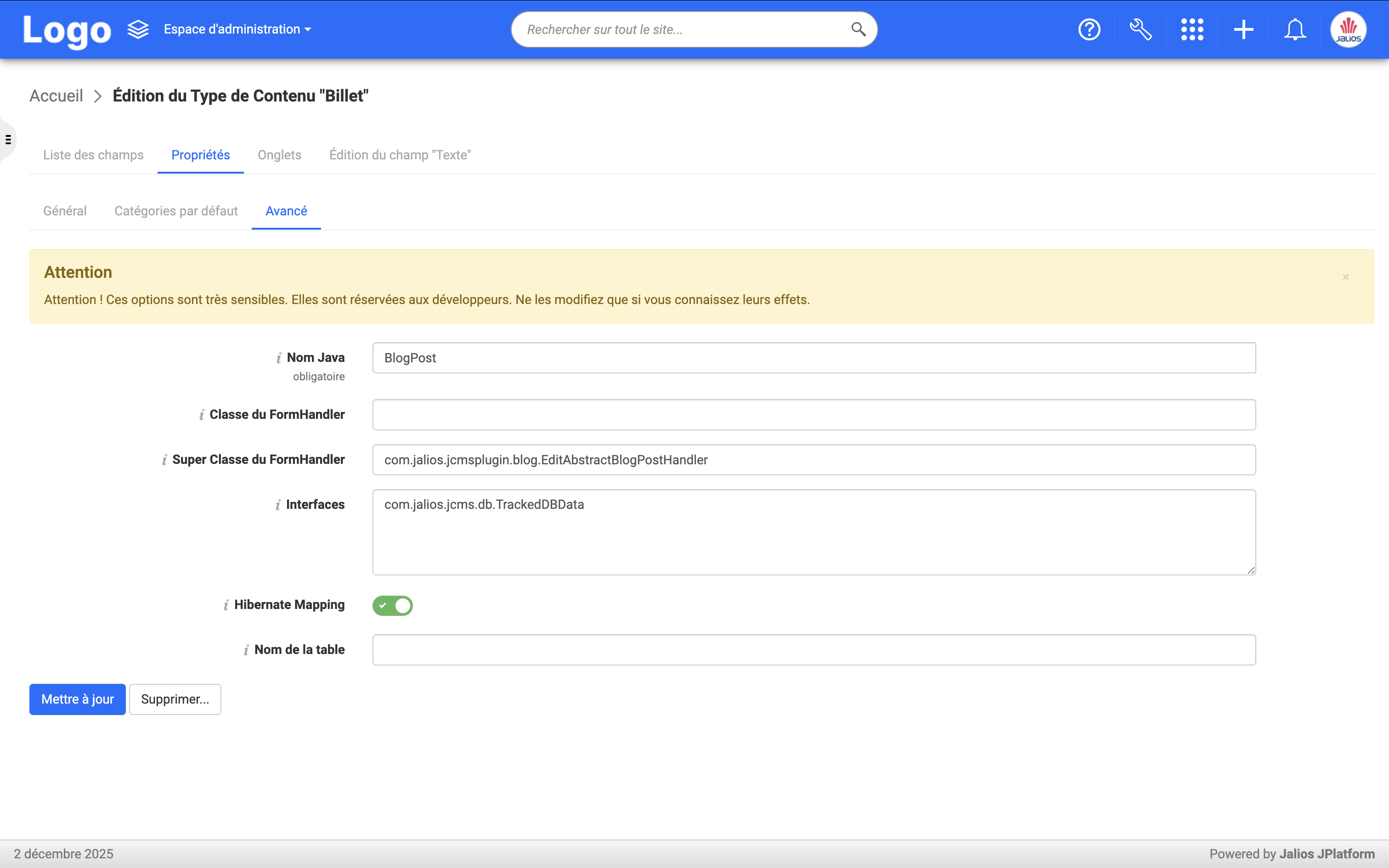
The editor lets you manage the types defined for the Jalios instance, as well as retrieve the technical names useful for configuring publication connectors:
- Java name of the type (i.e. the Java class name);
- Java names of the fields.
Note that custom types are generally prefixed with the package name generated., for example generated.MySuperCustomType.
These Java names are therefore useful for specifying the type to retrieve, and the fields to use in the transformed version of the content before ingestion into Wikit Semantics (see the Mustache/Handlebars expression above).