
EasyVista ITSM Connector
The connector developed by Wikit uses the EasyVista API and allows Apps to communicate with the EasyVista solution to enable your users to create and track their tickets.
Configuration
| Field name | Format / Type | Required | Comment |
|---|---|---|---|
| EasyVista Instance URL | URL | ✅ | Base URL of your EasyVista instance |
| URL format for visualization | URL | ✅ | Auto-connect link format allowing direct access to a ticket from Wikit (see Setup below) |
| Identifier | Free text | ✅ | Identifier of the service account used to call the EasyVista API |
| Password | Password | ✅ | Password associated with the service account |
| User identification type | List of values | ➖ | Email or Login — field used to match Wikit users to EasyVista employees |
| Wikit account identifier | Free text | ➖ | Identifier of the "Wikit" employee created in EasyVista (see Setup below) |
💡 Fields marked ✅ are required for the connector to work.
Setup
Create a new "Wikit" employee
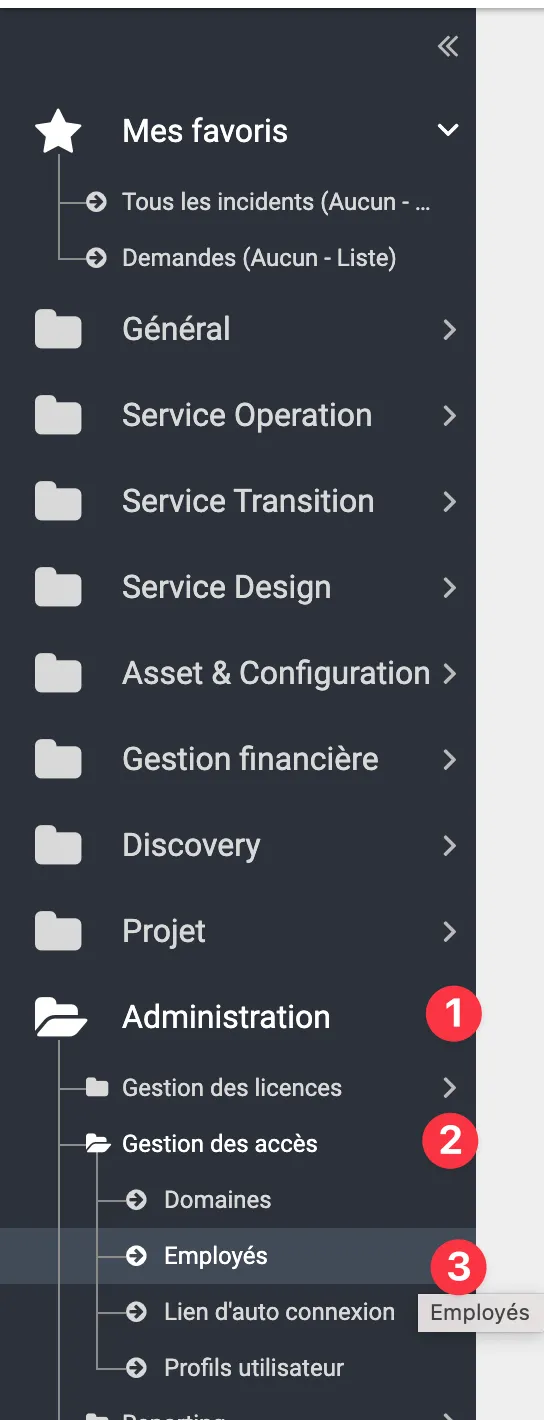
Go to the Administration (1) → Access Management (2) → Employees (3) tab.
Create a "Webservices" profile
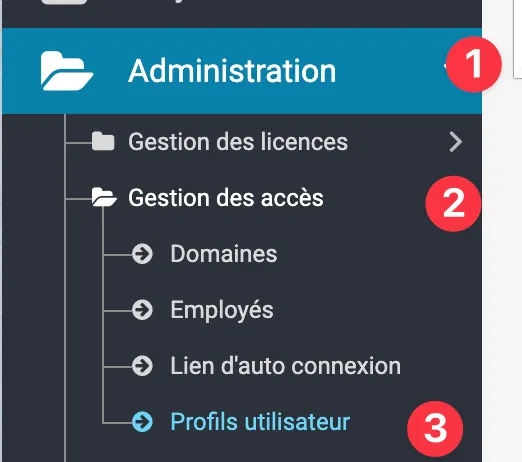
The "Webservices" profile will allow the Wikit user to access Easyvista's Rest API. To do this, go to Administration then Access Management and User Profiles:
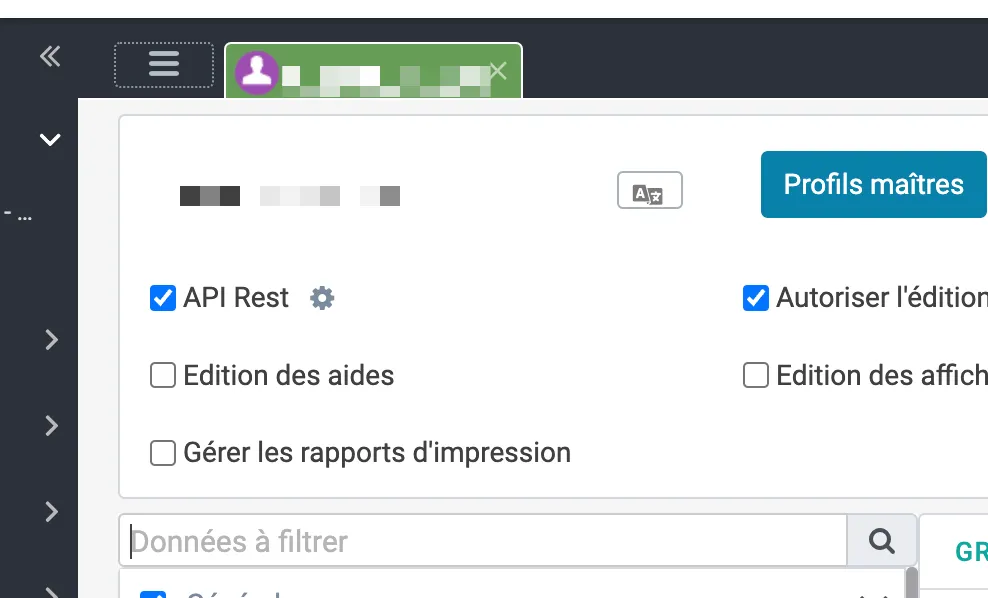
Check the API Rest box for this new profile:
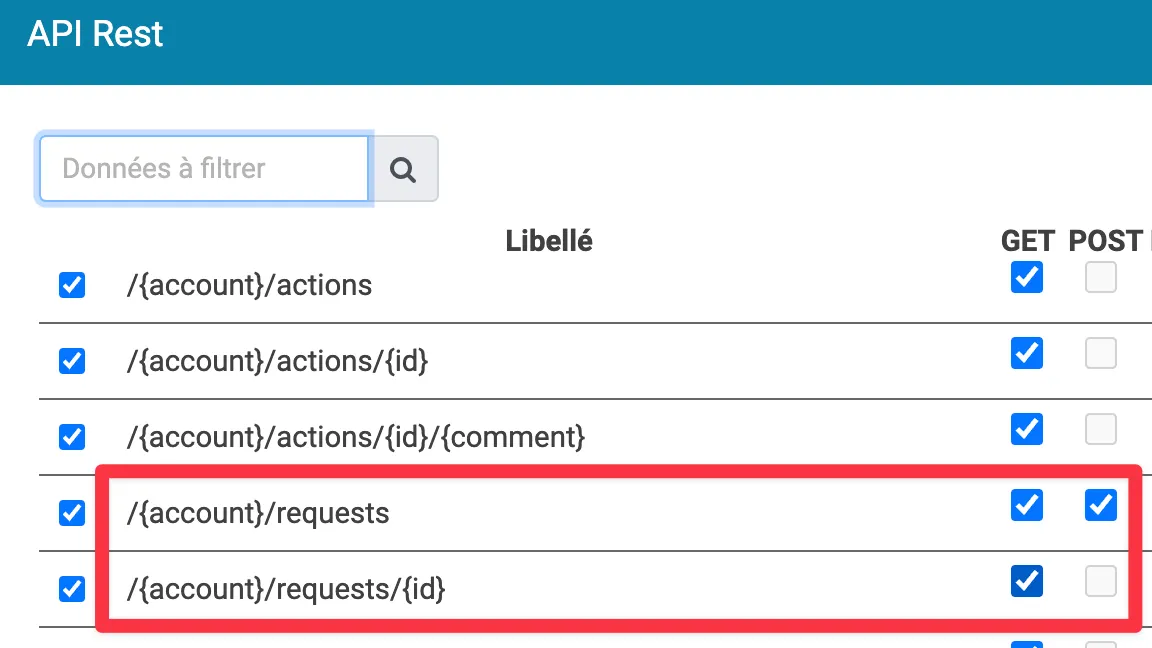
From the cogwheel ⚙️, enable the different methods required by the chatbot (GET and POST /requests and GET /requests/id):
Retrieve the URL format for ticket viewing
Refer to the auto-login link documentation: https://docs.easyvista.com/docs/en/auto-connect-link?highlight=lien%20d%27autoconnexion
The obtained link will then be used in the URL format for visualization field.
How the Connector Works
Ticket Creation
From the Wikit Semantics chat, users can create an EasyVista ticket. The connector calls the EasyVista REST API method POST /requests to create the record, then returns a tracking link to the user built from the URL format for visualization.
User Mapping
The connector matches Wikit users to EasyVista employees via the User identification type field, which can be set to Email or Login.
Ticket Lookup
Users can also look up their existing tickets from the chat. The connector queries the EasyVista API via the GET /requests and GET /requests/id methods.
Attachments
The connector supports attachments.