Ametys Connector
Prerequisites
- Administrator access (or sufficient permissions) on your Ametys site/intranet, allowing you to generate an application token and create Solr queries.
Connector Configuration
The Ametys connector transforms your website's pages into a data source for Wikit Semantics.
| Field name | Format / Type | Required | Comment |
|---|---|---|---|
| Site URL | URL | ✅ | URL of your Ametys site |
| A template for document URLs | Free text (template) | ✅ | Template used to rebuild the source URL of each document |
| An application token | Password / Token | ✅ | Token (API key) generated from your Ametys profile |
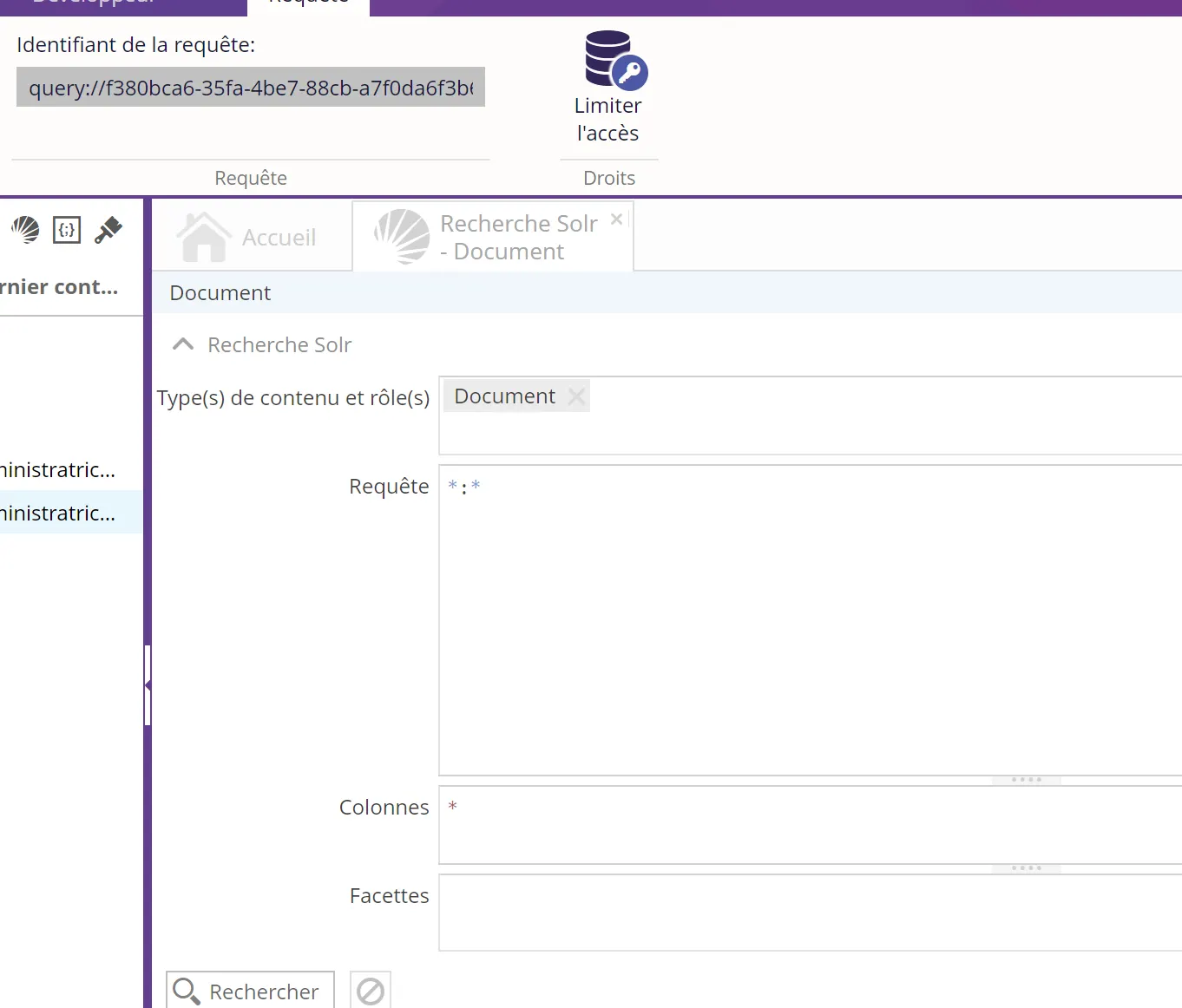
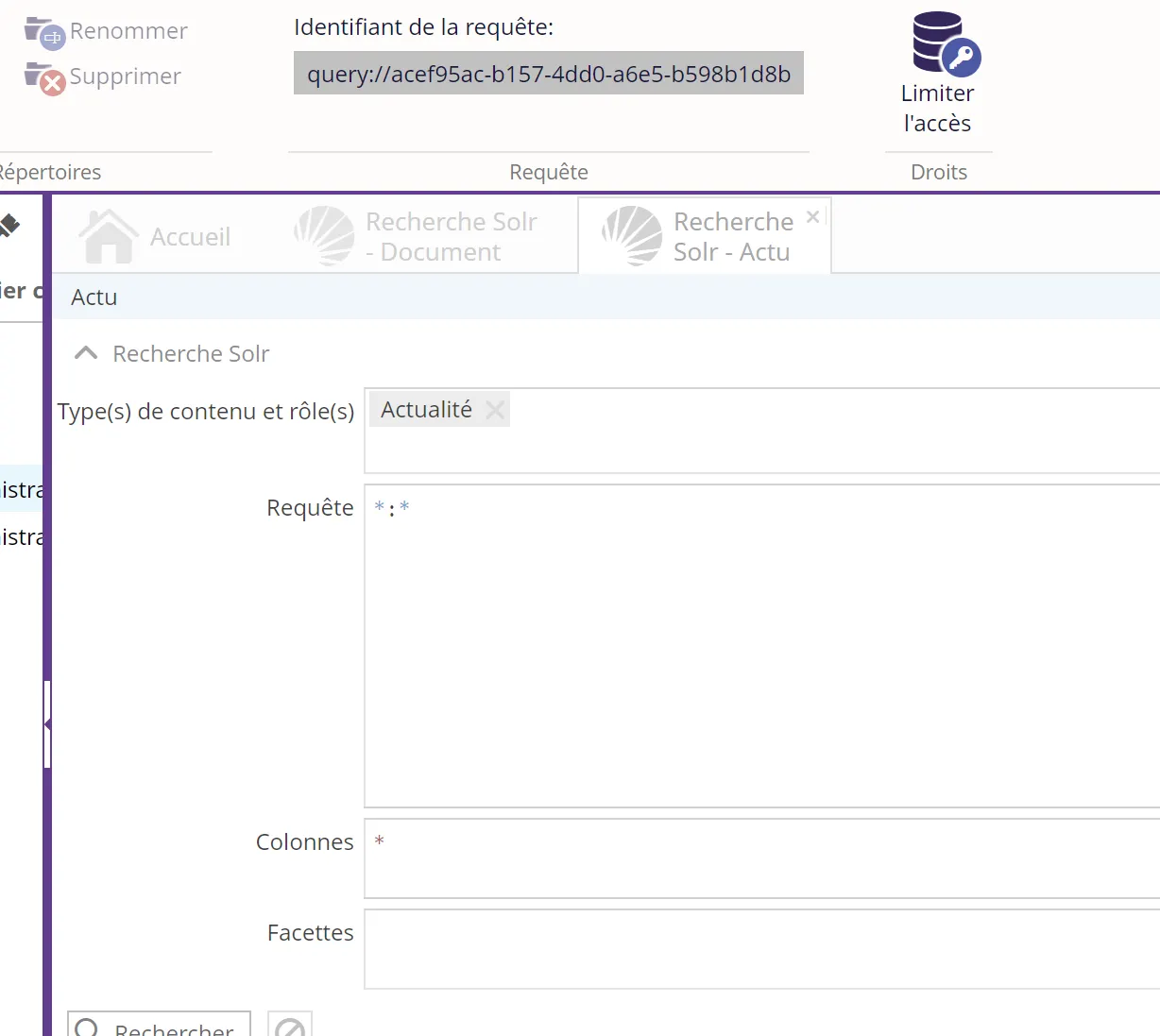
| A query identifier to create in the Semantics console | Identifier | ✅ | Identifier of the Solr query created in the administration of your Ametys site |
💡 Fields marked ✅ are required for the connector to work.
Setup
Finding the site URL
Simply retrieve the URL visible in your browser.
Finding an authentication key
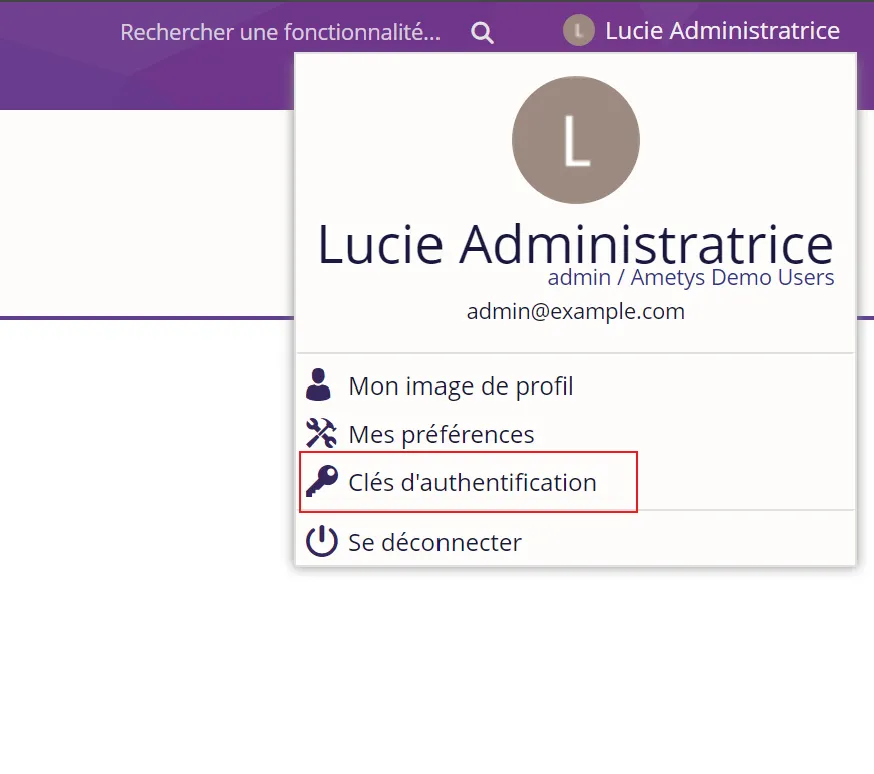
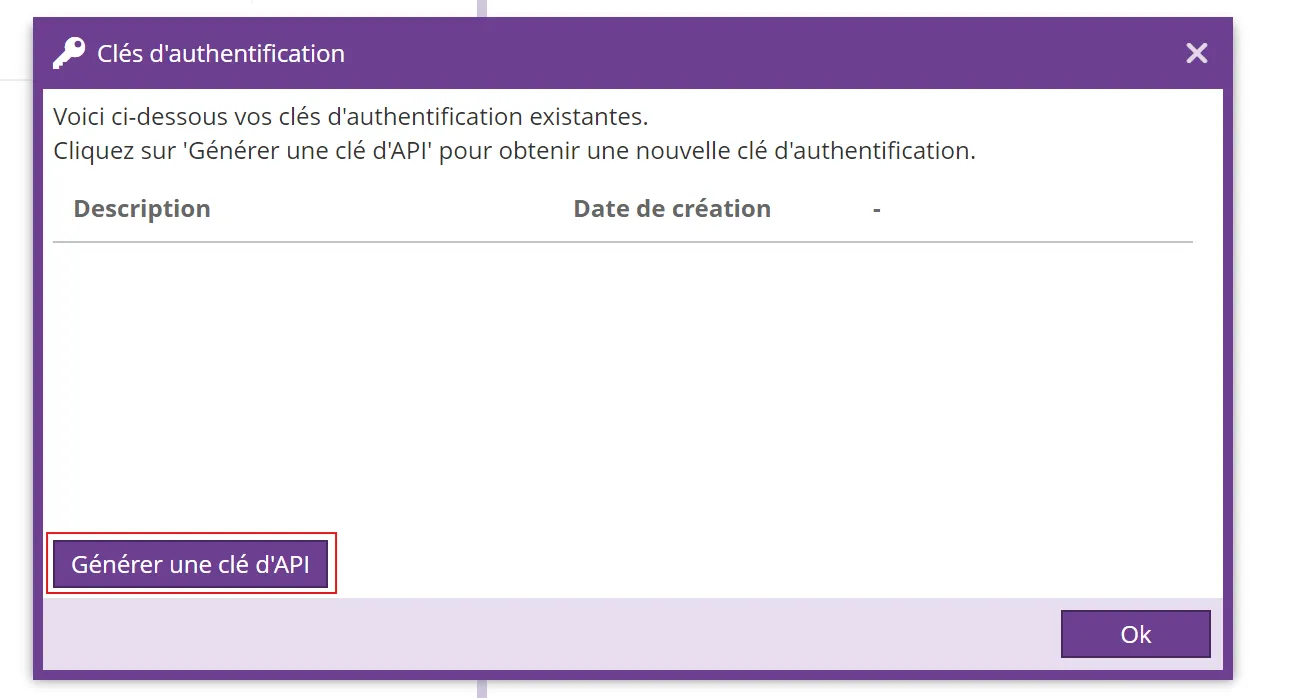
To retrieve the key or application token, simply go to your profile (1) → click on Authentication keys (2) → click on Generate an API key, then share it with your Wikit contact.
Finding the query identifiers
You need to go to the administration of your Ametys site/intranet (1) → New Solr search (2)
Then run queries on the content type you want to retrieve (3)
⚠️ make sure to put the * in the Columns field
The query identifiers will need to be shared with your Wikit contact
Here are a few examples: