
GLPI ITSM Connector
The connector developed by Wikit uses the GLPI API and allows apps to communicate with the GLPI solution, giving your users the ability to create and track their tickets.
Configuration
| Field name | Format / Type | Required | Comment |
|---|---|---|---|
| GLPI instance URL | URL | ✅ | Base URL of your GLPI instance |
| Base URL for ticket viewing | URL | ✅ | URL used to build the direct link to a ticket from the chat |
| Application token | Token | ✅ | app_token generated in Configuration / General / API for the Client-Wikit client |
| User token | Token | ✅ | API token generated for the WIKIT user, with the Service-Wikit profile (see Setup) |
| Type of tickets to create | Value list | ✅ | GLPI ticket type created when a user submits a request from the chat |
| Type of tickets to retrieve | Value list | ➖ | Filter on the type of tickets retrieved when looking up tickets from the chat |
| Status of tickets to retrieve | Value list | ➖ | Filter on the status of tickets retrieved when looking up tickets from the chat |
| Default category | Identifier | ➖ | GLPI category applied by default to created tickets if no categorization is provided |
| Account ID | Identifier | ✅ | Account identifier used to identify Wikit users in GLPI |
💡 Fields marked ✅ are required for the connector to work.
Setup
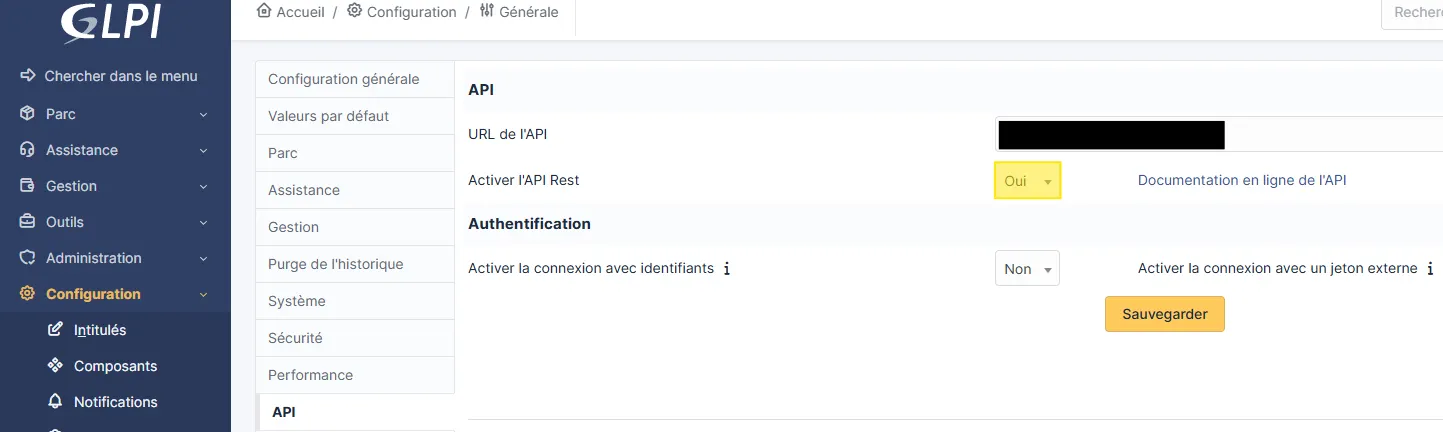
In Configuration / General / API
- Enable REST API:
- Add an API client
Client-Wikit
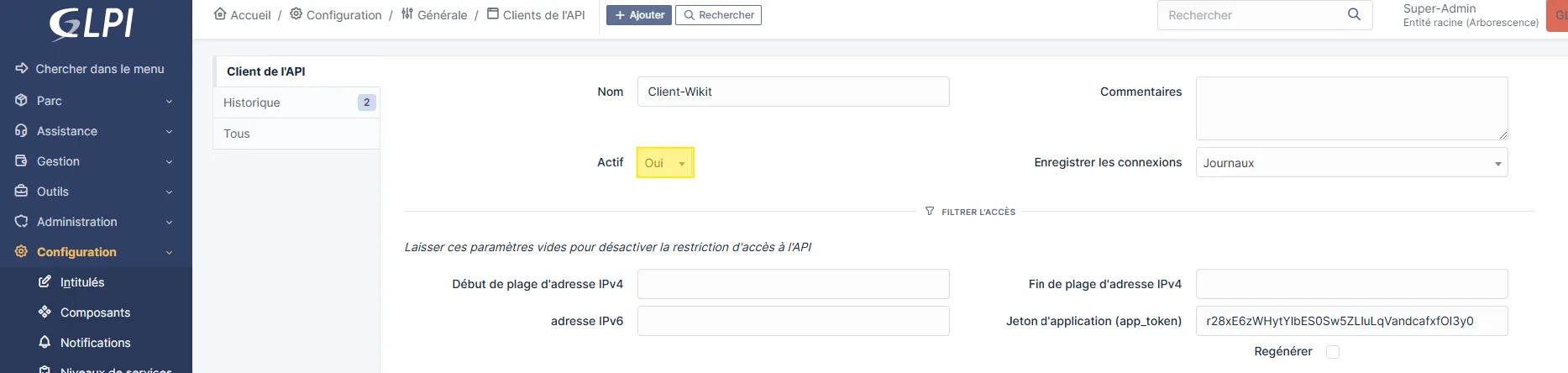
- Regenerate its
Application token (app_token)(to be provided to Wikit)
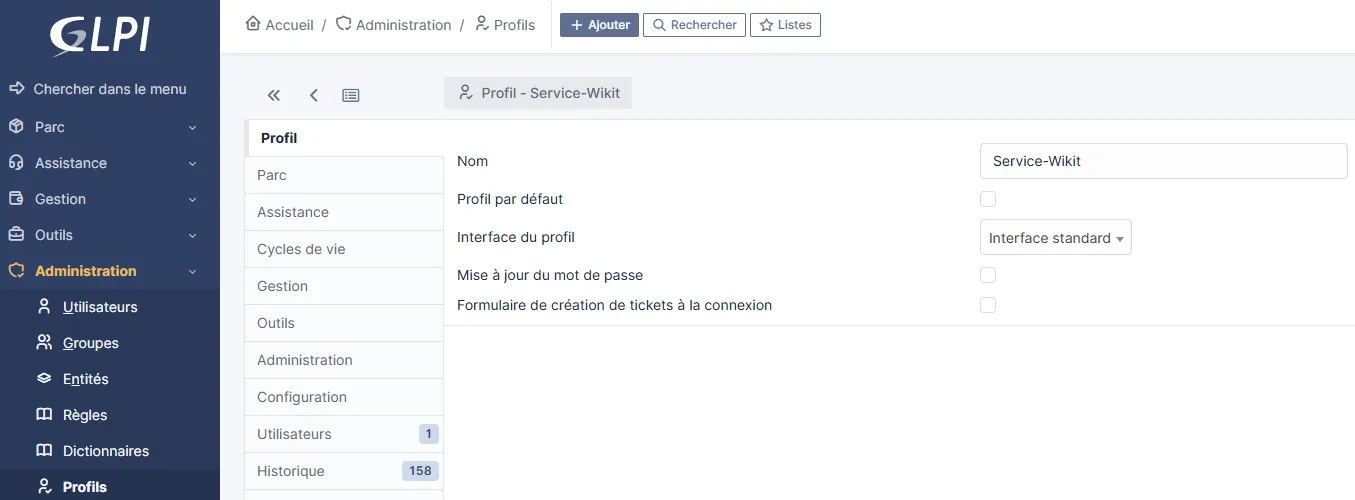
In Administration / Profiles
- Create a
Service-WikitProfile as follows:Profiletab
- `Assistance` tab

- `Administration` tab

- `Configuration` tab
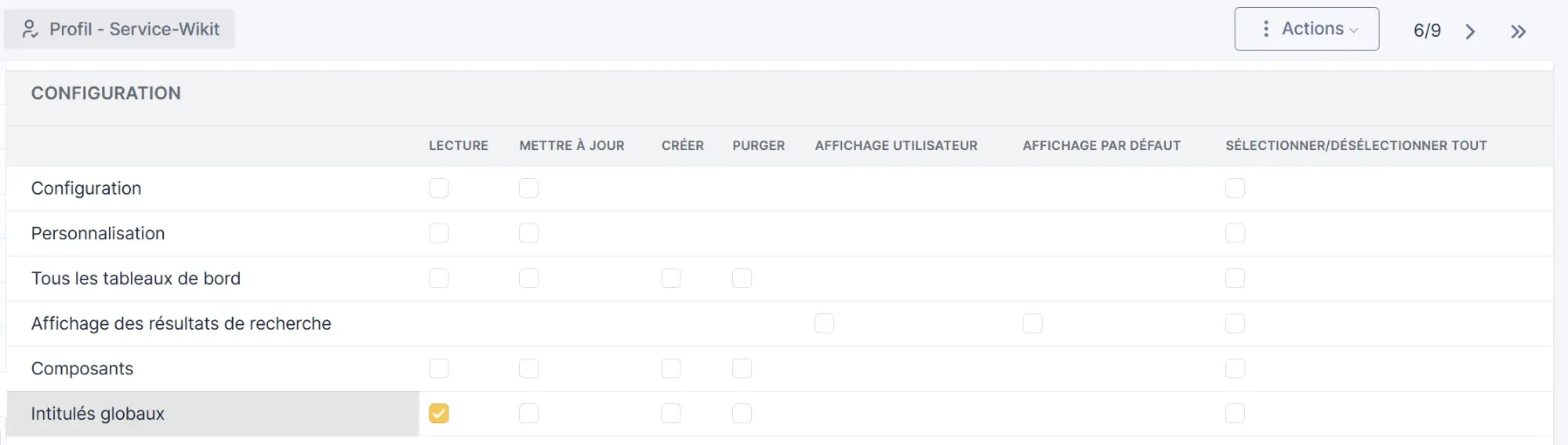
In Administration / Users
- Create a user with the identifier
WIKIT, assign the previously created profile as theirDefault profile

- Regenerate its
API Token - It will also be necessary to assign an authorization on the
Service-Wikitprofile recursively as below
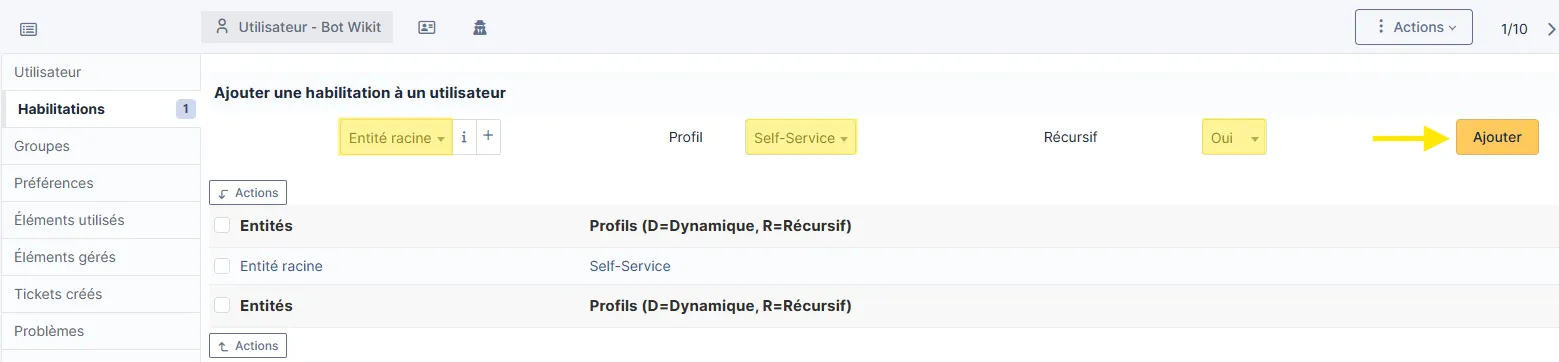
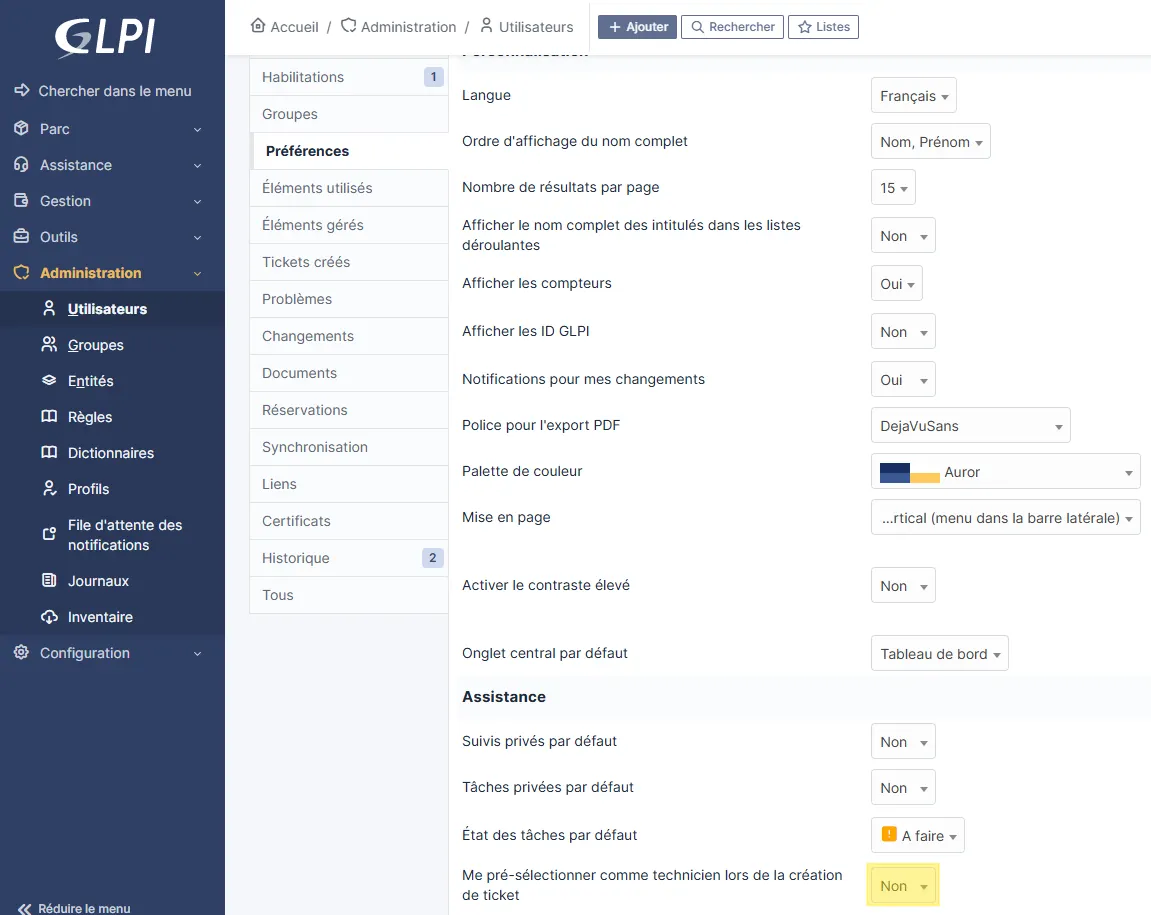
- Then modify the Preferences of the created user
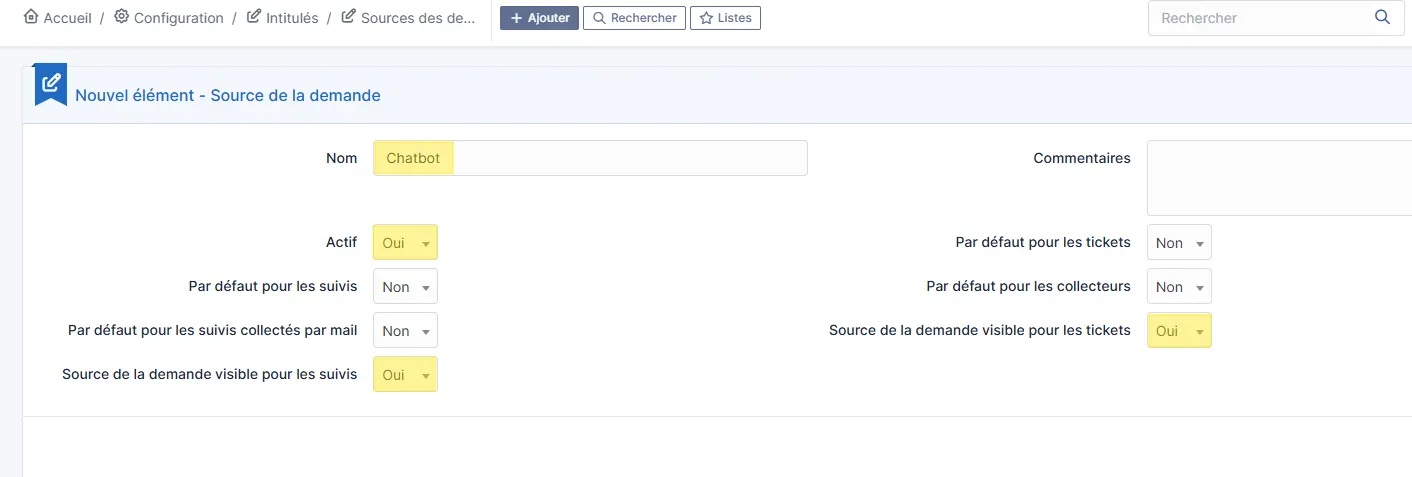
In Configuration / Dropdowns / Request Sources
- Create a request source
Chatbot
How the Connector Works
Ticket Creation
From the Wikit Semantics chat, users can create a GLPI ticket of the type configured in the Type of tickets to create field. The ticket is created via the GLPI REST API using the WIKIT service account and the Chatbot request source configured previously.
Ticket Lookup
Users can also look up their existing tickets from the chat. The connector queries the GLPI API and returns the tickets matching the configured type (Type of tickets to retrieve) and status (Status of tickets to retrieve).