GLPI KB Connector
Connector Configuration
The GLPI connector transforms your GLPI knowledge base into intelligent conversational answers, allowing users to get help 24/7 without going through the traditional service desk.
| Field name | Format / Type | Required | Comment |
|---|---|---|---|
| GLPI instance URL | URL | ✅ | Base URL of your GLPI instance |
| Application token | Token | ✅ | app_token generated in Configuration / General / API for the Client-Wikit client |
| User token | Token | ✅ | API token generated for the WIKIT user, with the Service-Wikit profile |
💡 Fields marked ✅ are required for the connector to work.
Setup
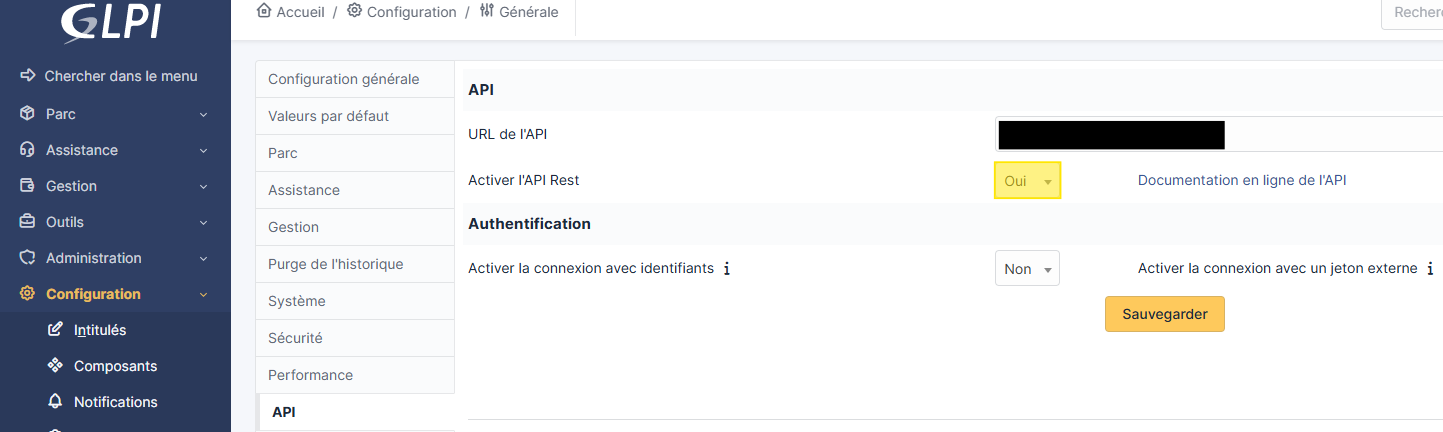
In Setup / General / API:
Enable the REST API:
Add an API client
Client-Wikit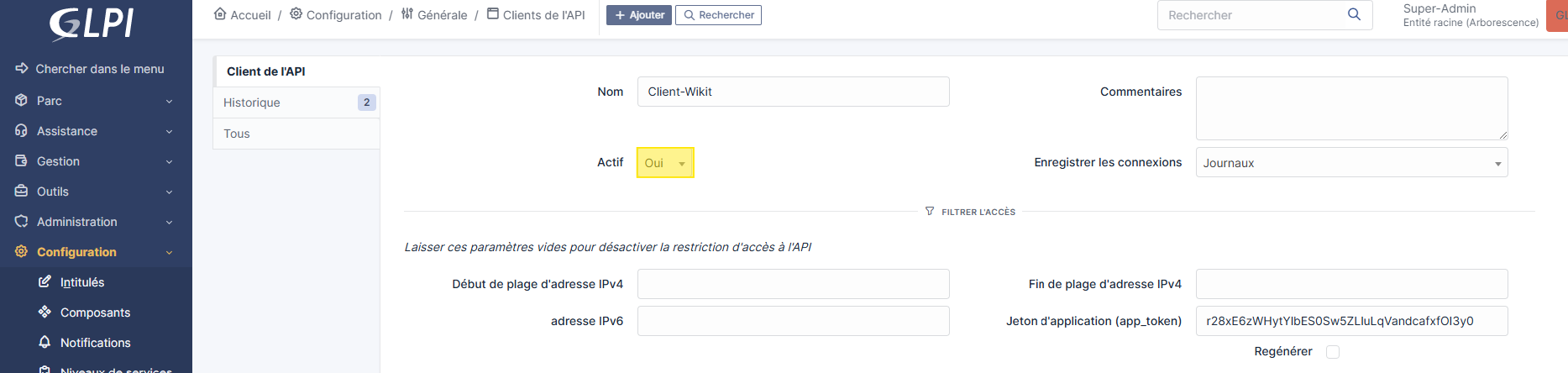
Regenerate its
Application token (app_token)(to be provided to Wikit)
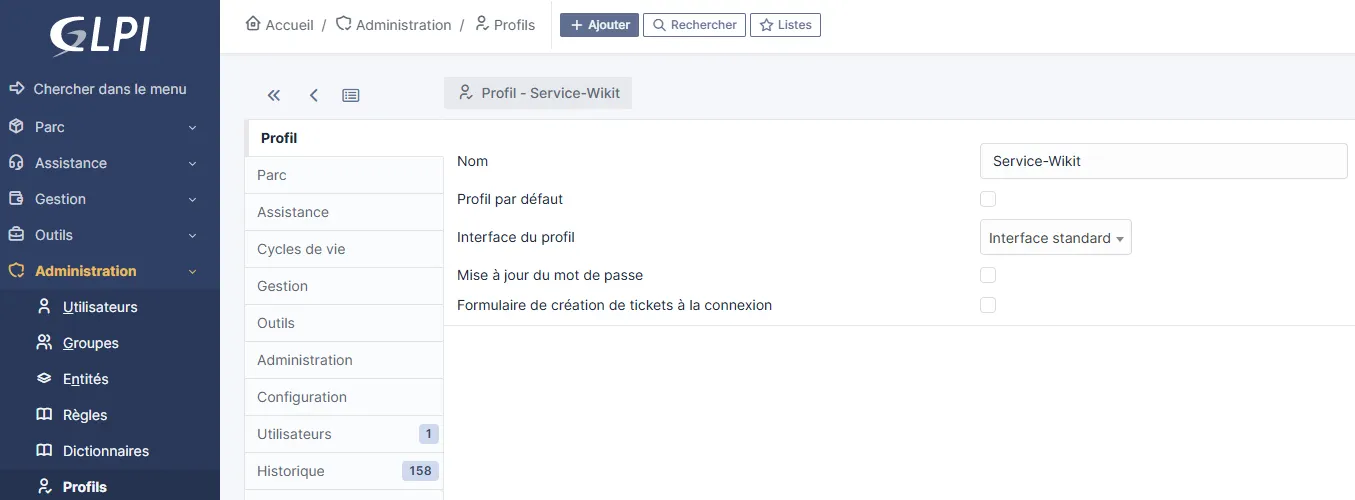
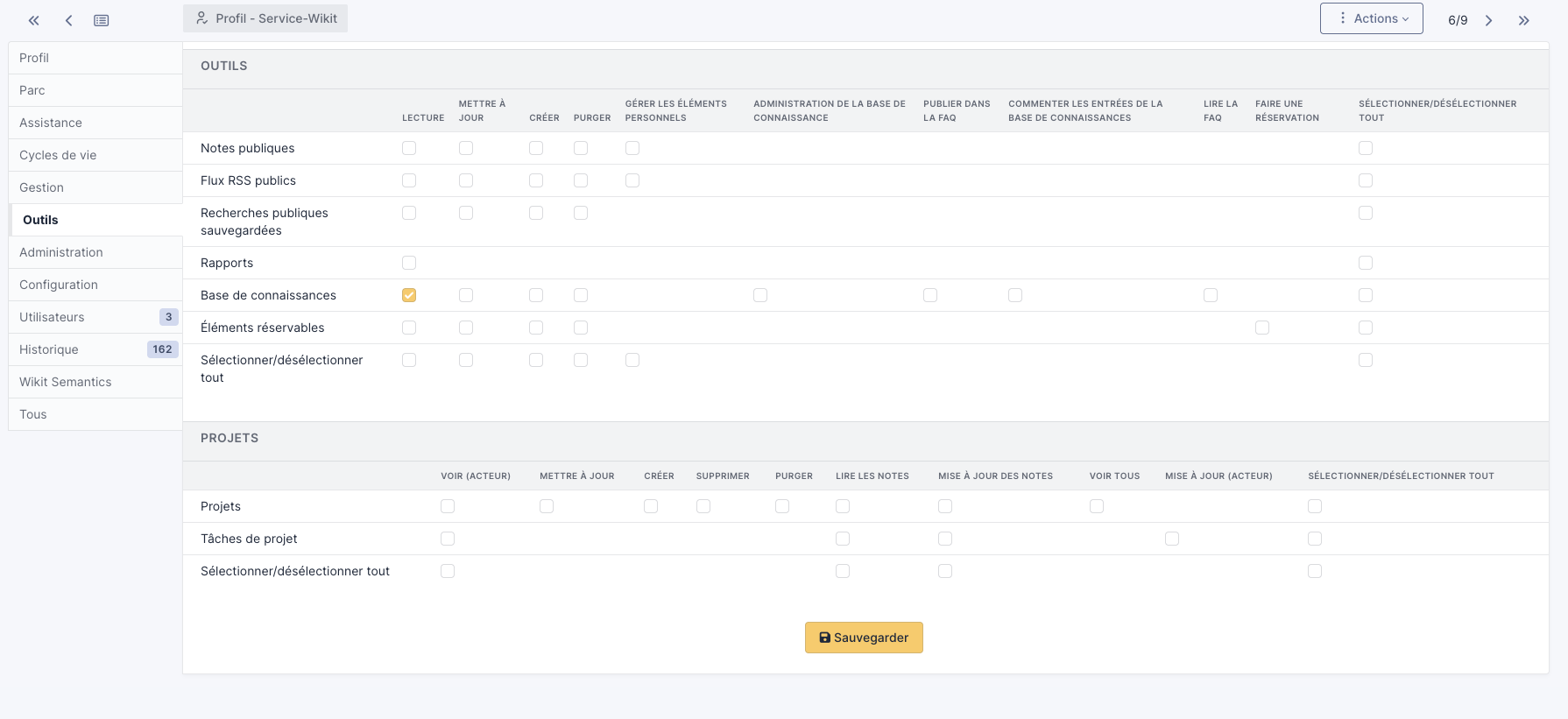
In Administration / Profiles:
Create a
Service-Wikitprofile as follows:Profiletab
Tools tab
In Administration / Users
Create a user with
WIKITas the login, and assign it theDefault profilecreated previously
Regenerate its
API tokenYou will also need to assign an entitlement on the
Service-Wikitprofile recursively as shown below
Troubleshooting & FAQ
Why does my connector not retrieve any documents even though my knowledge base has articles?
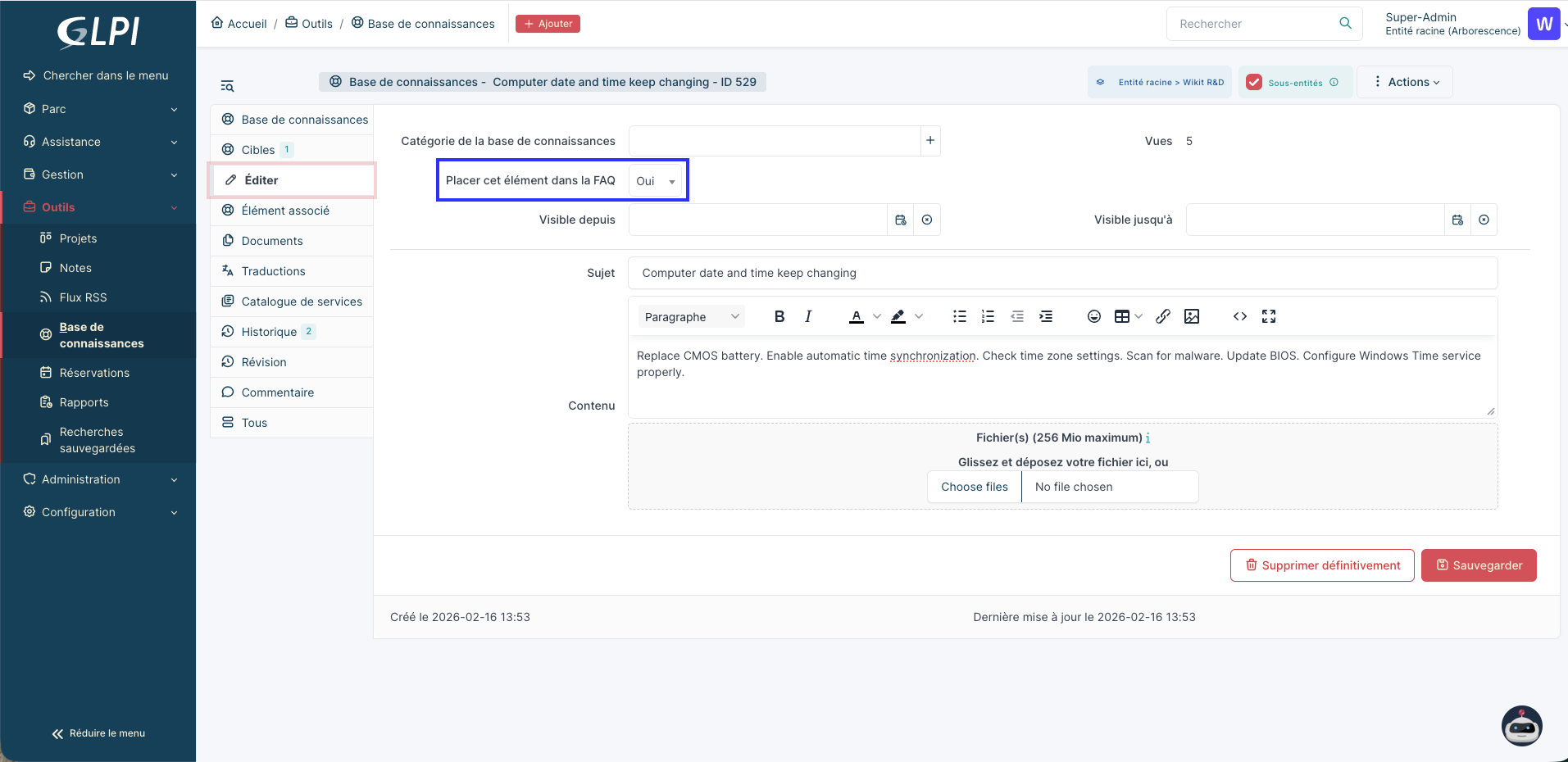
To retrieve articles from the GLPI knowledge base, your articles must have the "Add this item to the FAQ" field set to "Yes":