iTop ITSM Connector
The connector developed by Wikit uses the iTop API and allows apps to communicate with the iTop solution, giving your users the ability to create and track their tickets.
Prerequisites
- The iTop REST webservices accessible from Wikit servers (
/webservices/rest.php?version={{version}}).
Configuration
| Field name | Format / Type | Required | Comment |
|---|---|---|---|
| Webservices URL | URL | ✅ | Format: https://{{path}}/webservices/rest.php?version={{version}} |
| Organization code where tickets are to be created | Identifier / Free text | ✅ | Code of the iTop organization in which tickets will be created |
| Wikit user (login/password) | Free text | ✅ | User with a WIKIT Employee Number dependent on the organization, with the REST SERVICE profile |
💡 Fields marked ✅ are required for the connector to work.
Setup
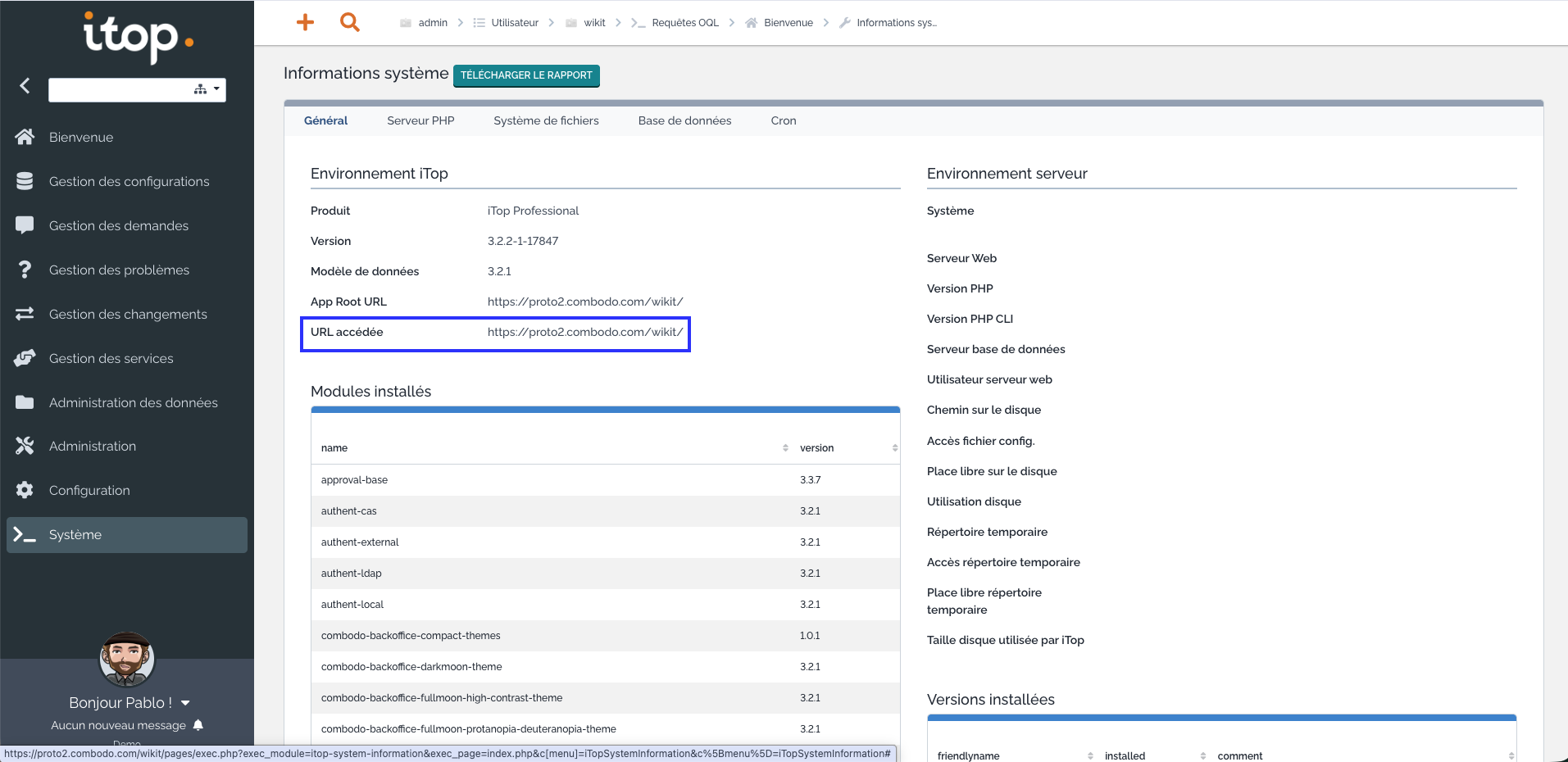
Finding the webservices URL
To find the webservices URL, you can go to the System Information tab:
Finding the organization code
To find your organization code, you can go to your account then hover your mouse over your organization's name and you will find its identifier:
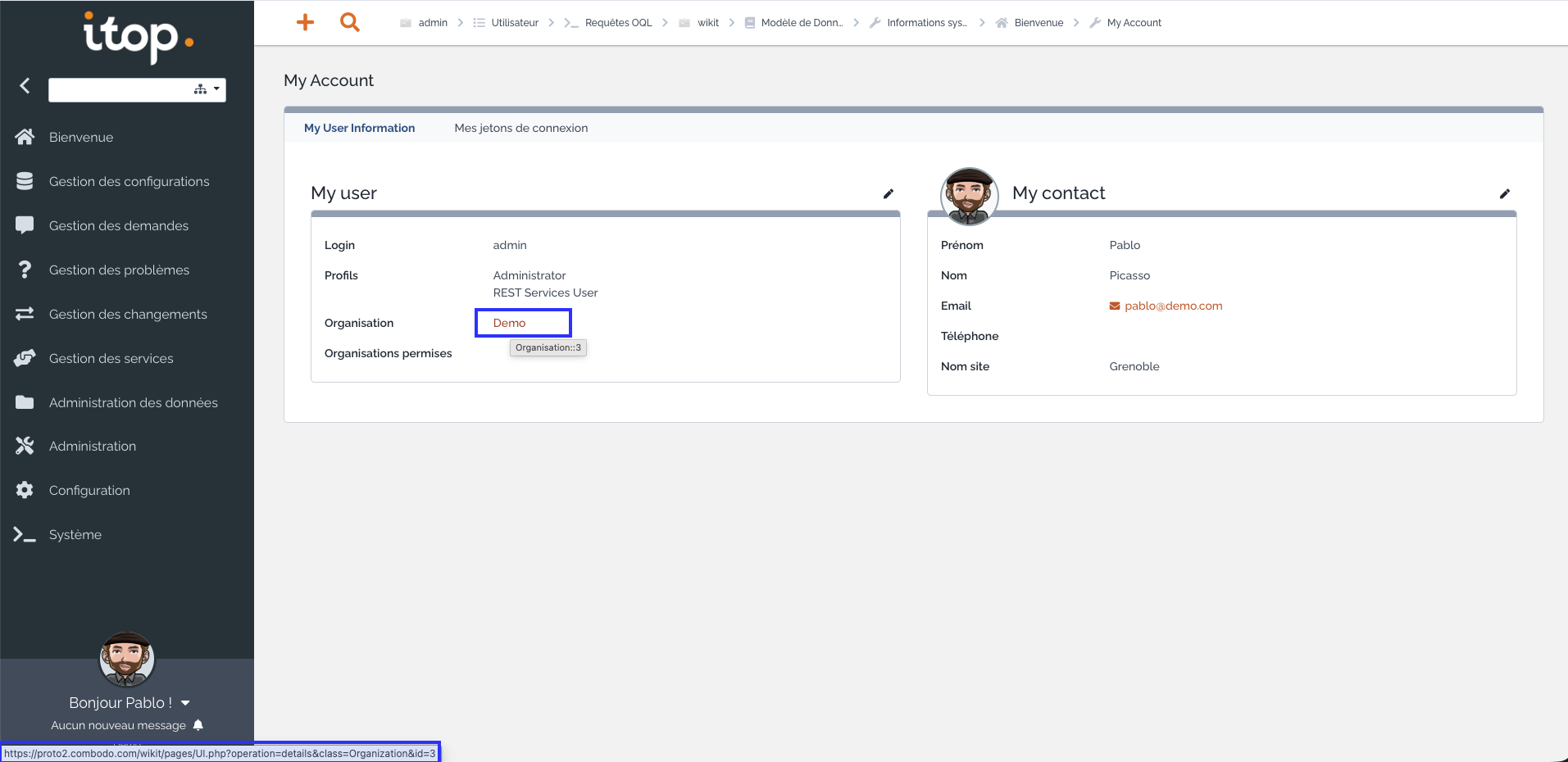
In this example, the organization code is Demo and its identifier is 3
Creating a Wikit user
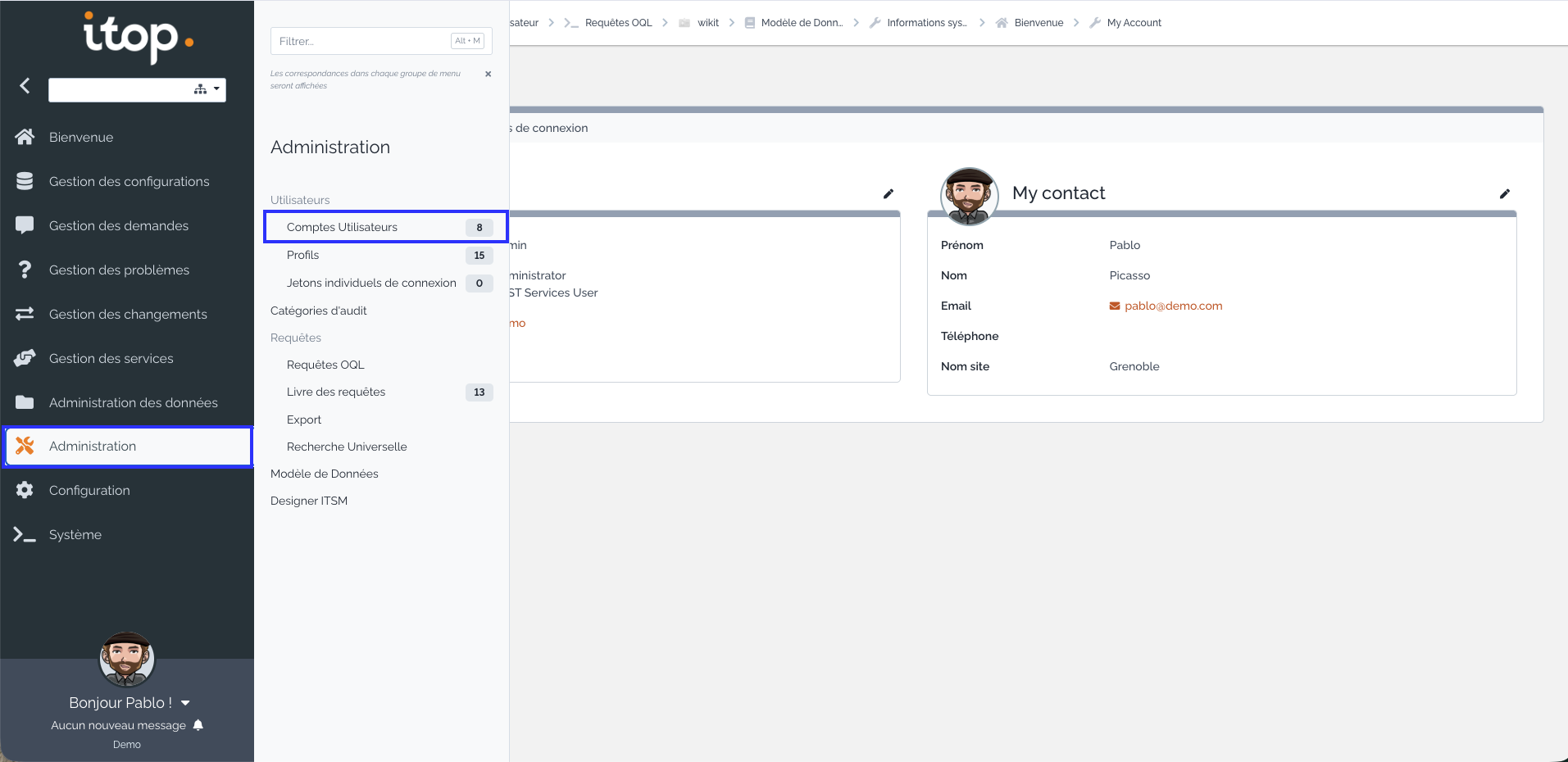
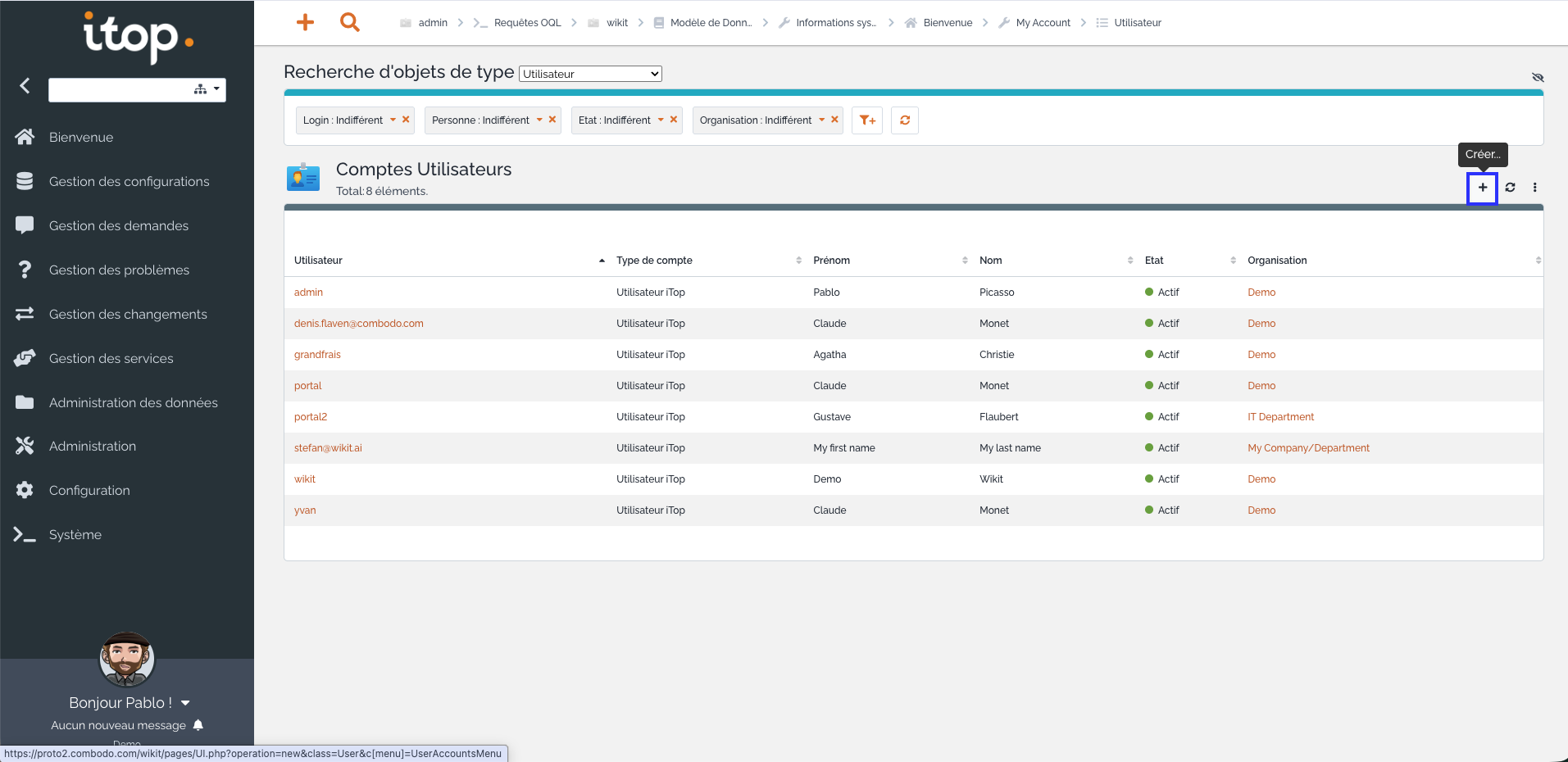
To create a Wikit user, go to the Administration menu then click on User accounts:
Then, click on the + button:
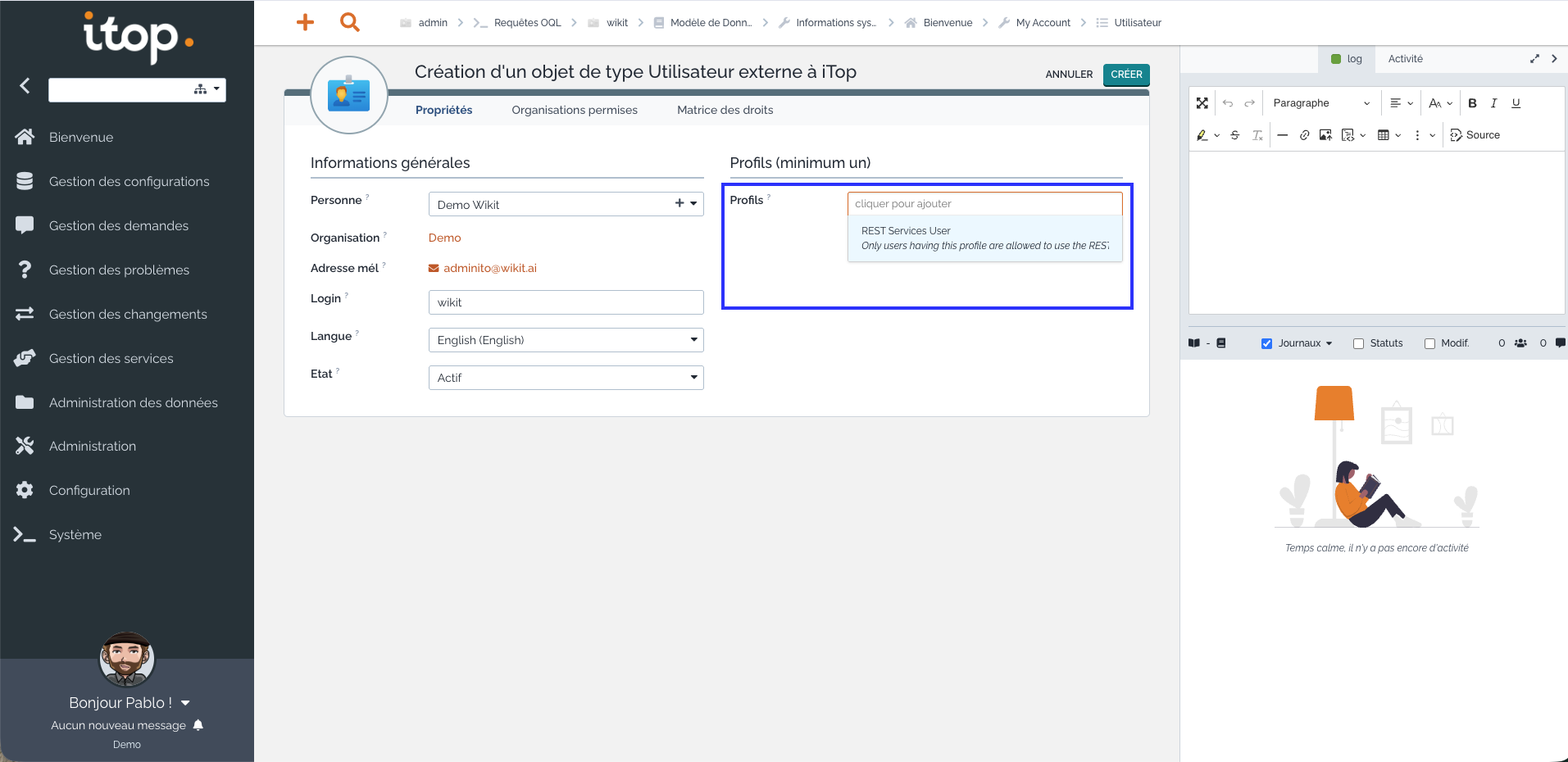
Activating the REST SERVICE profile on the Wikit user
Once you have clicked the create button and filled in the Wikit user's information, select the REST SERVICE profile to assign to it from the dropdown list:
How the Connector Works
Ticket Creation
From the Wikit Semantics chat, users can create an iTop ticket in the configured organization (Organization code where tickets are to be created). The ticket is created via the iTop REST webservices, using the Wikit user with the REST SERVICE profile.
iTop Categorization in Wikit Semantics
If you want to set up a categorization system in your Wikit Semantics application, please follow this online documentation while respecting the format of the iTop API: https://docs.wikit.ai/en/wikit_semantics/categorization_of_itsm_tickets
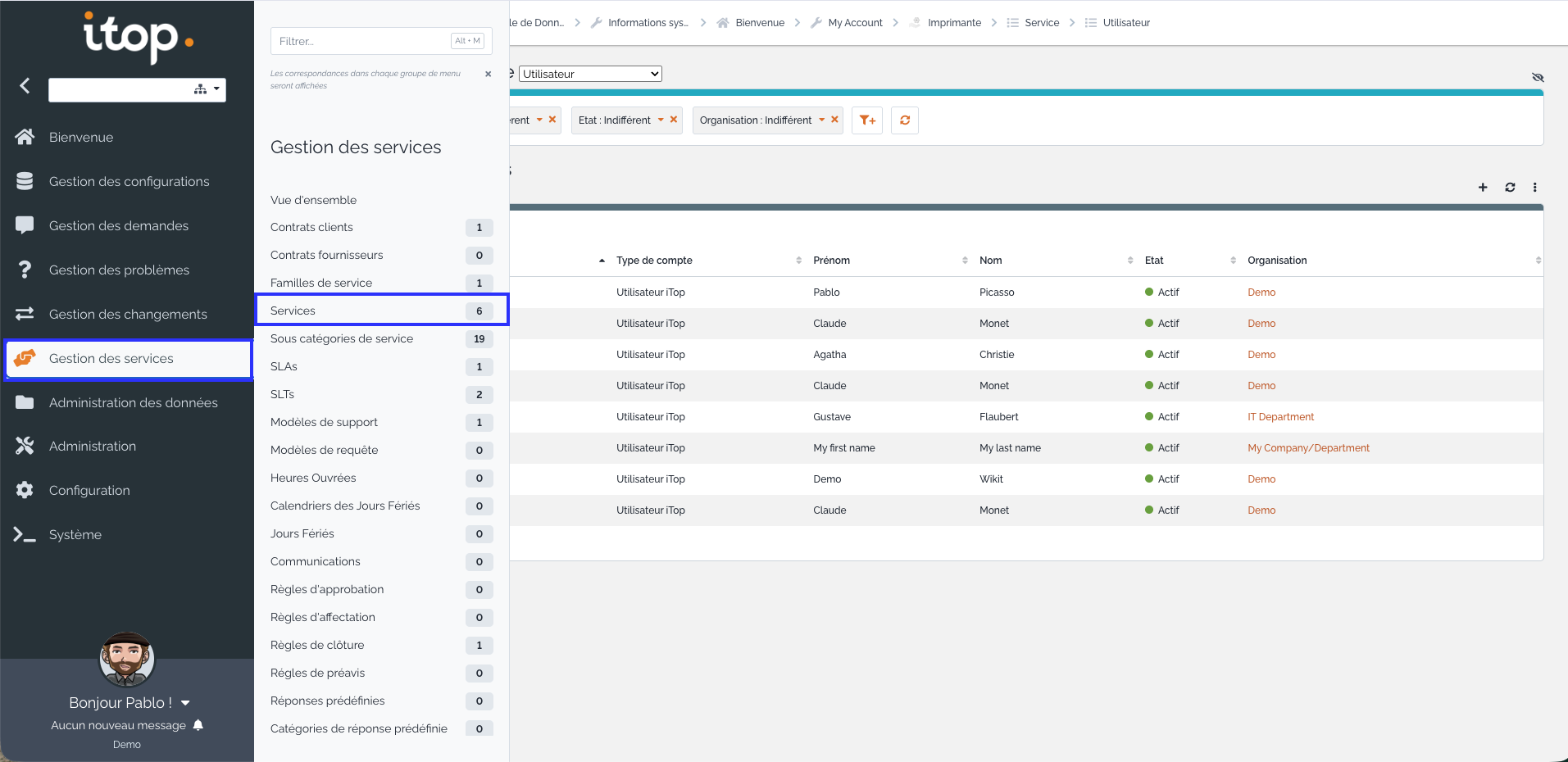
To find the list of services for your organization, go to Service management then click on Services. To find your service's identifier, simply click on your service's name and you will find it in your browser's URL:
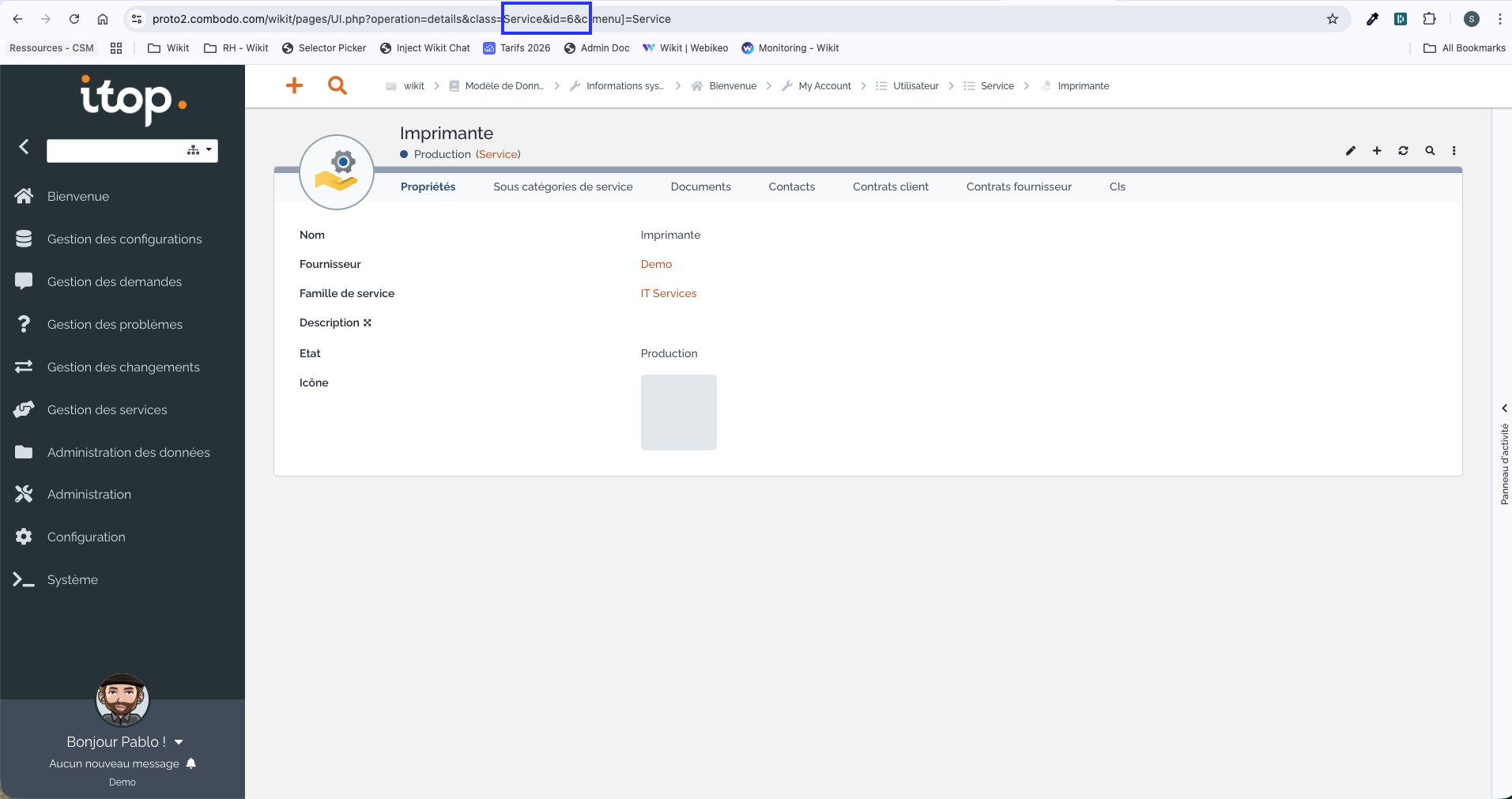
To find the list of service sub-categories for your organization, go to Service management then click on Service sub-category. To find your service sub-category's identifier, simply click on your sub-category's name and you will find it in your browser's URL:
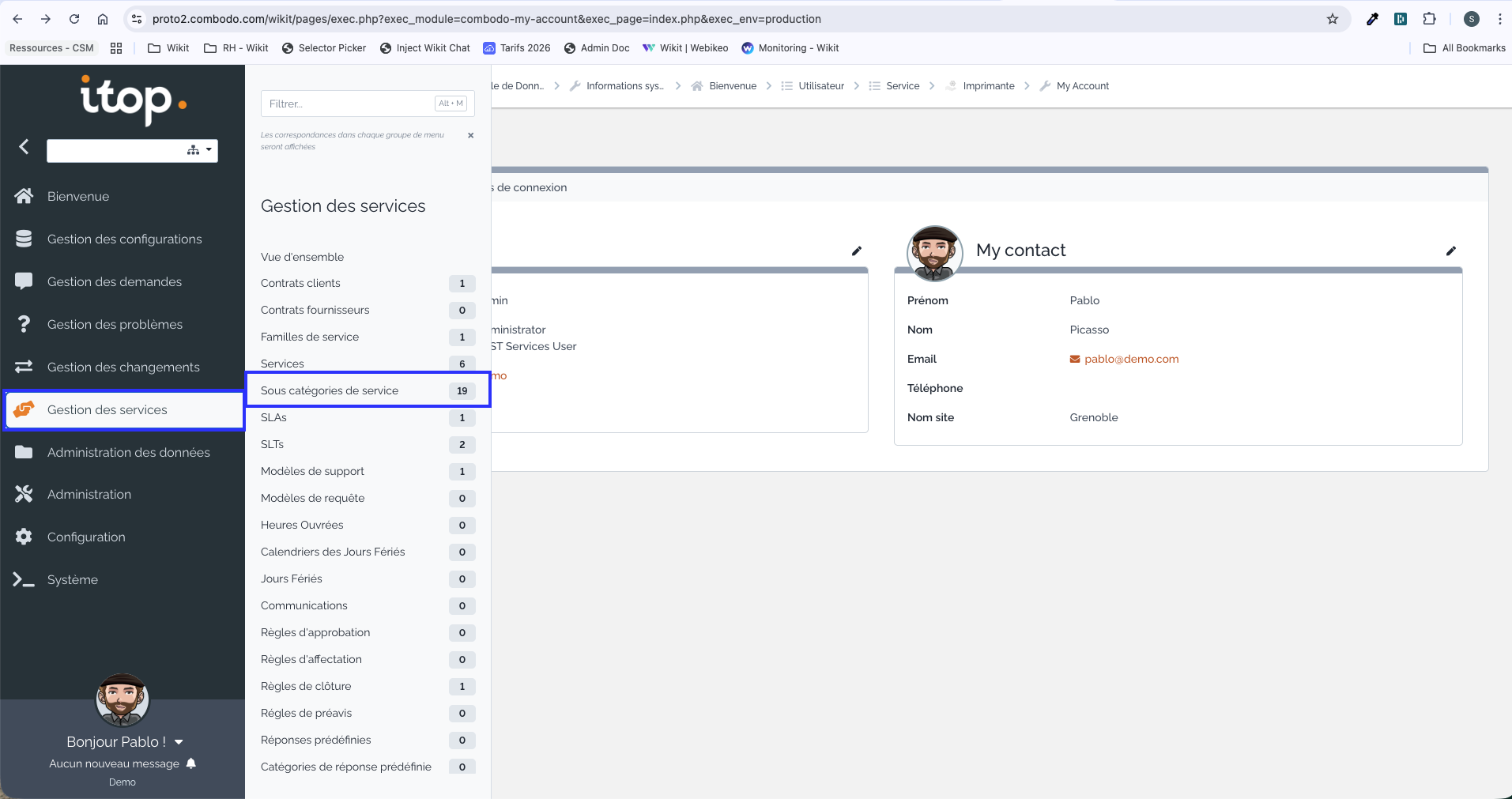
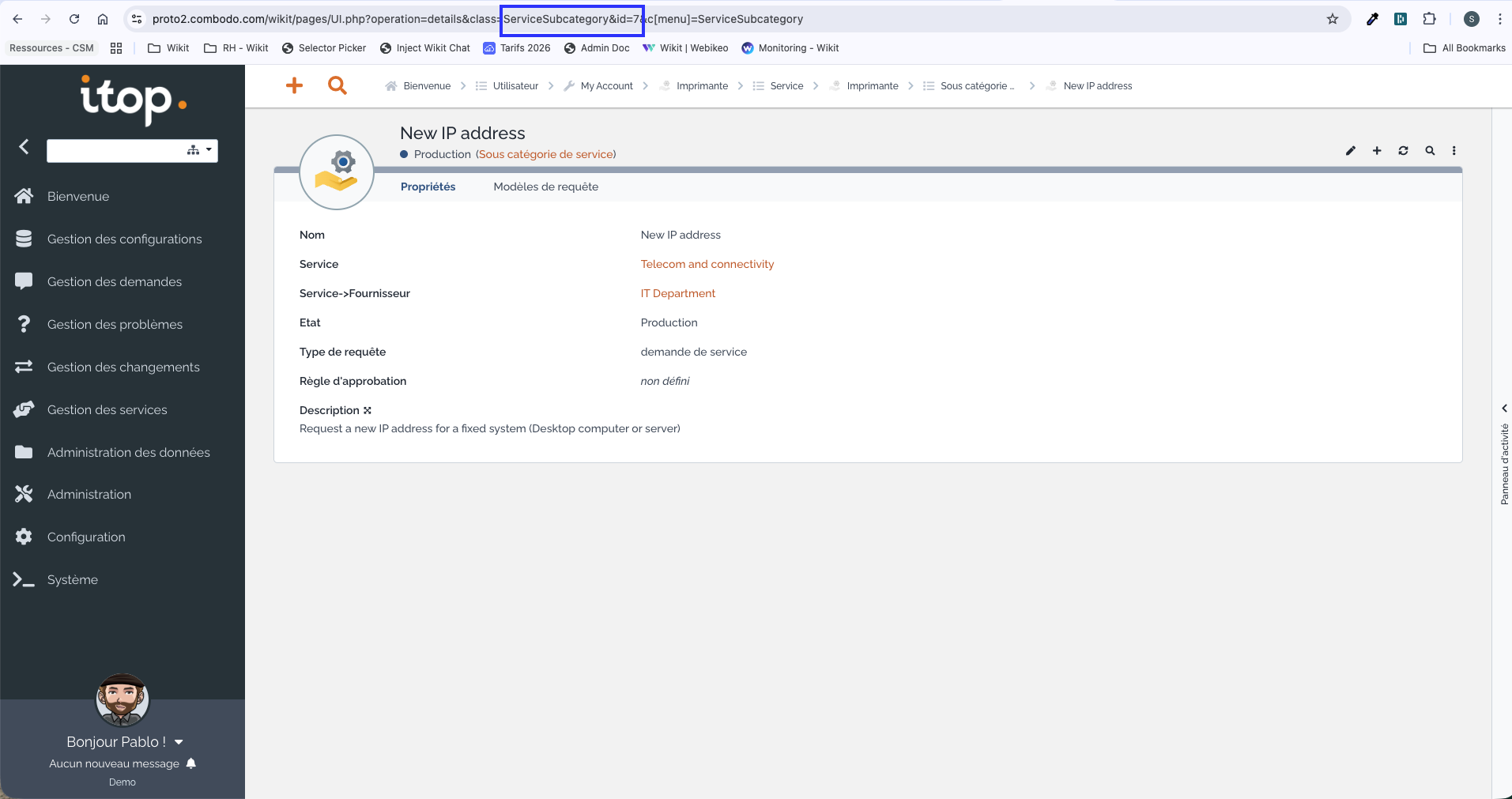
For example:
- the format for a service:
service_id - the format for a service sub-category:
servicesubcategory_id
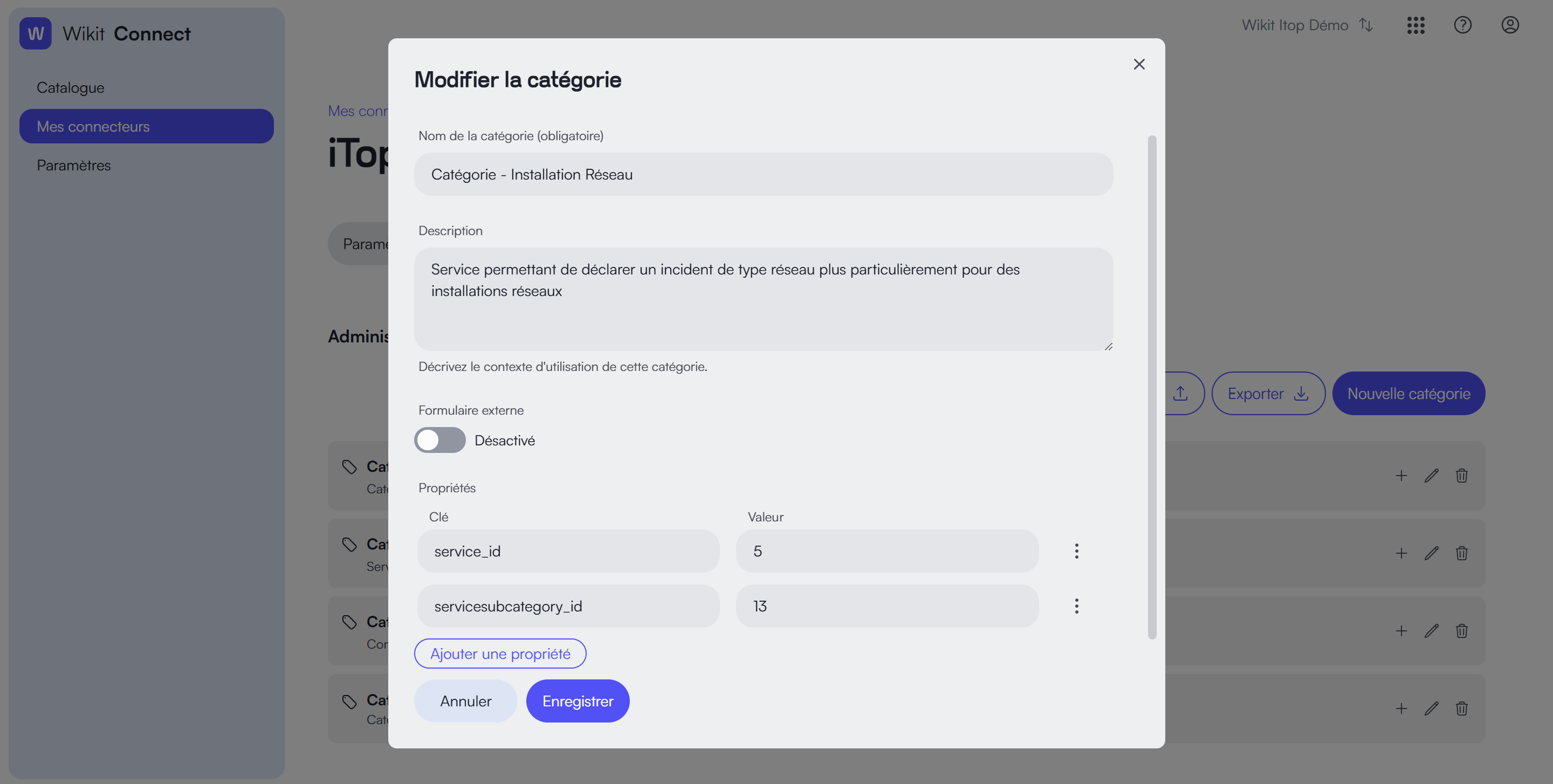
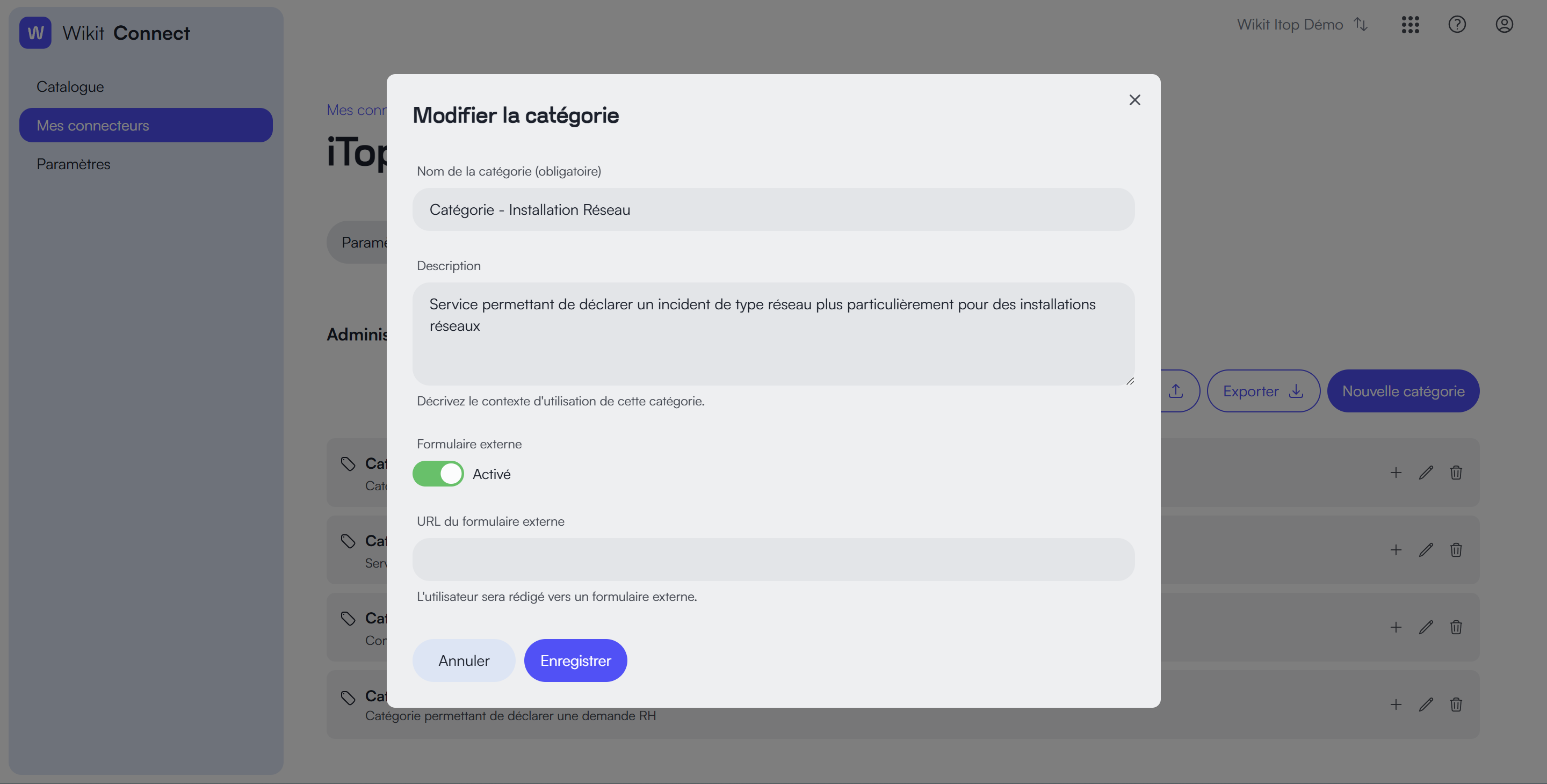
You can also simply use the redirection to an external form by activating the option: