IWS ITSM Connector
The connector developed by Wikit uses the IWS API and allows apps to communicate with the IWS solution, giving your users the ability to create and track their tickets.
Prerequisites
- The IWS webservices accessible from Wikit servers (
URL/IsilogWebSystem/webservices).
Configuration
| Field name | Format / Type | Required | Comment |
|---|---|---|---|
| IWS instance URL | URL | ✅ | Without /IsilogWebSystem |
| Base URL for ticket viewing | URL | ✅ | Without /IsilogWebSystem |
| Username | Free text | ✅ | Identifier of the IWS user account created for Wikit |
| Password | Password | ✅ | Password associated with the IWS user account |
| Database ID | Identifier | ✅ | Identifier of the IWS database |
| Destination URL | URL | ✅ | Format: URL/IsilogWebSystem/webservices |
| Default settings | Free text | ➖ | Settings applied by default to IWS requests |
| Use proxy | Yes / No | ➖ | Enable if your IWS instance needs to go through an outbound proxy |
| Wikit account ID | Identifier | ✅ | Account identifier used to identify Wikit users in IWS |
💡 Fields marked ✅ are required for the connector to work.
Setup
Create the user account
Wikit will need an IWS user with rights to use the webservices:
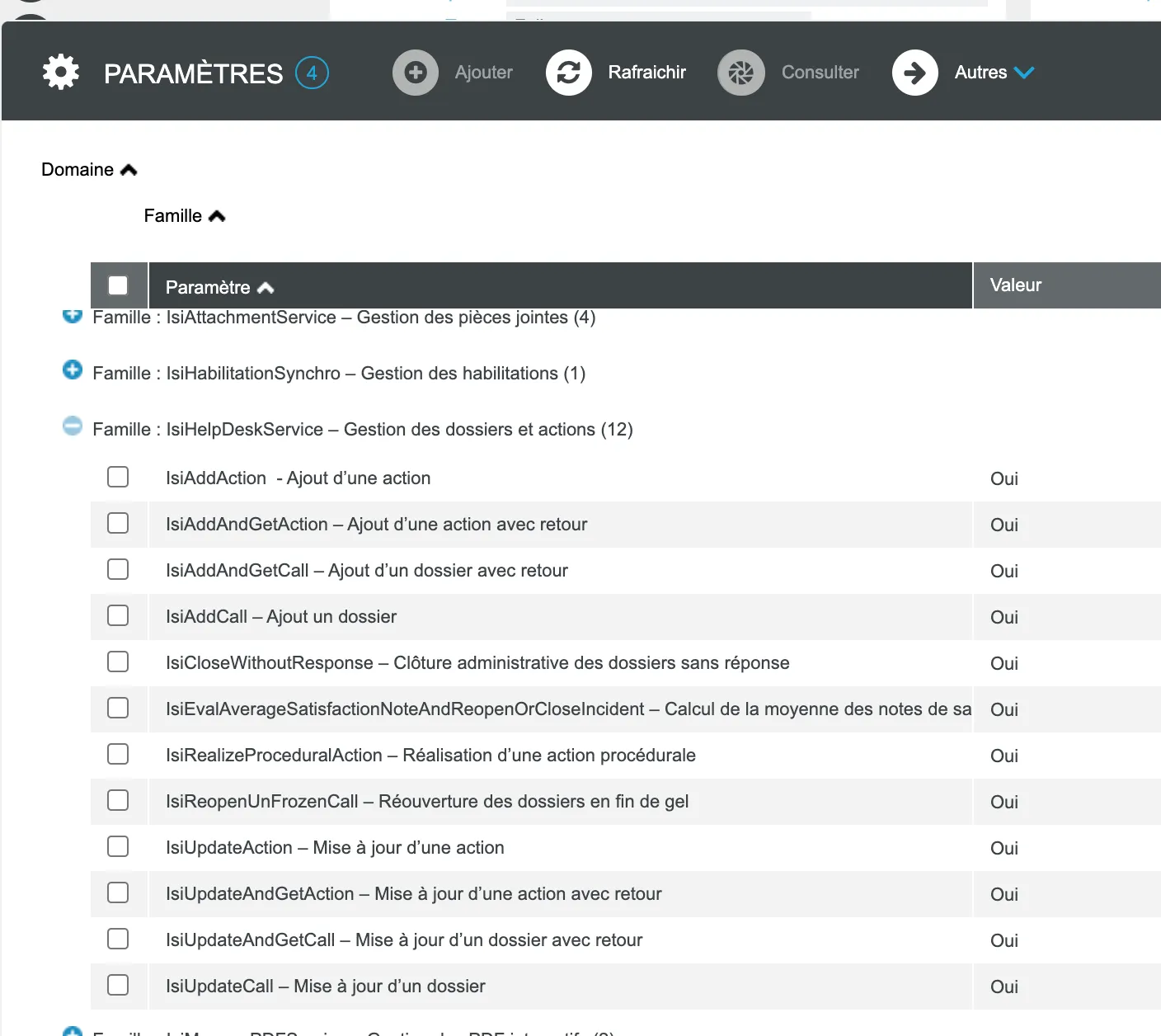
- IsiAddAndGetCall
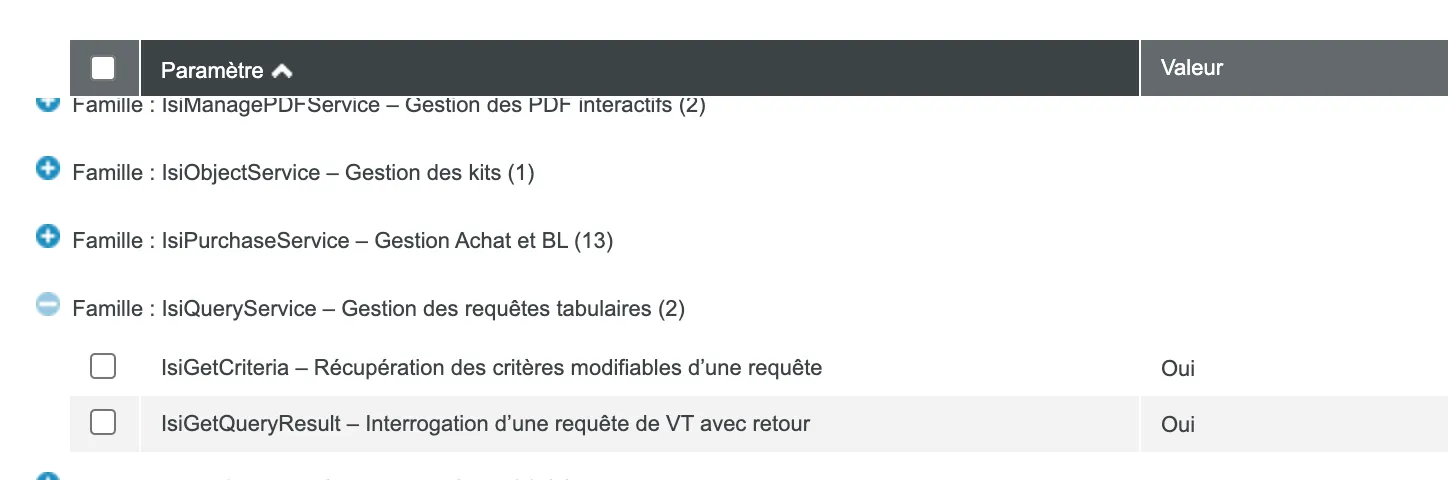
- IsiGetCriteria
- IsiGetQueryResult
A Technical profile must be assigned to it. Other necessary information in the user profile are:
- The site ⇒ You can set the site of your choice
- The organizational unit (O.U.) ⇒ You can set the O.U. of your choice
- Registration Number: WIKIT
- Team ⇒ Either be part of the ticket's team with the role
Assistant-Agent,AgentorTeam Leader, or be a helpdesk administrator
- Team ⇒ Either be part of the ticket's team with the role
⚠️ Reminder: to modify an access right, you must:
- Go to the profile in question
- Open the "Screen access" associated data
- Search for the relevant screen or view
- Check the "Access" box for the relevant line
Example: for a query on users, you need access rights to the "PARC048L – Users" view.
After the change, we recommend restarting the internet services (IIS reset), which causes a service interruption of a few minutes.
Create the IWS queries
⚠️ The previously created account must always be set as "Owner" of the queries
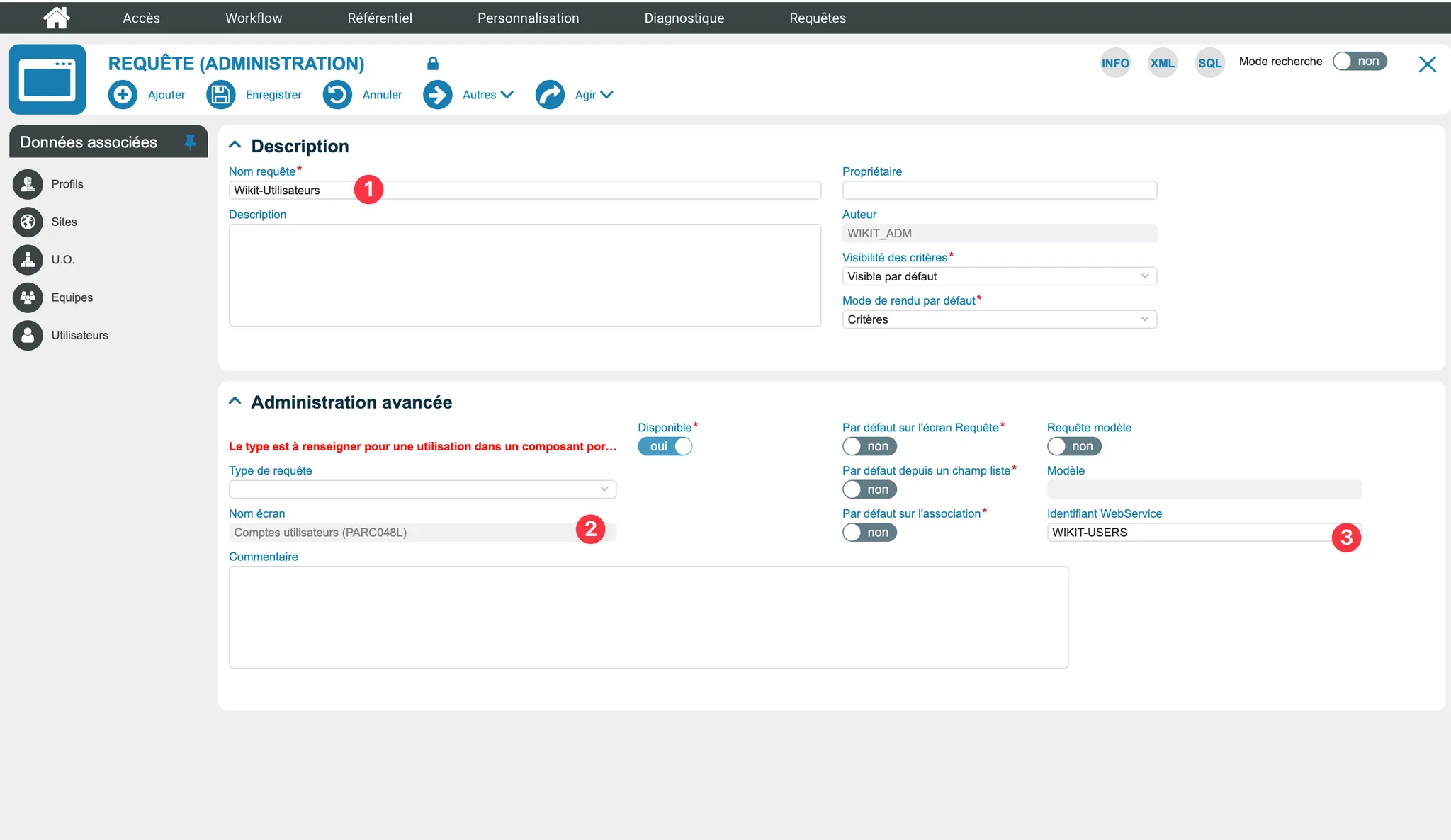
Users Query
You will need to create a query as follows:
- Query Name: Wikit-Users
- Screen Name: User account (PARC048L)
- WebService Identifier: WIKIT-USERS
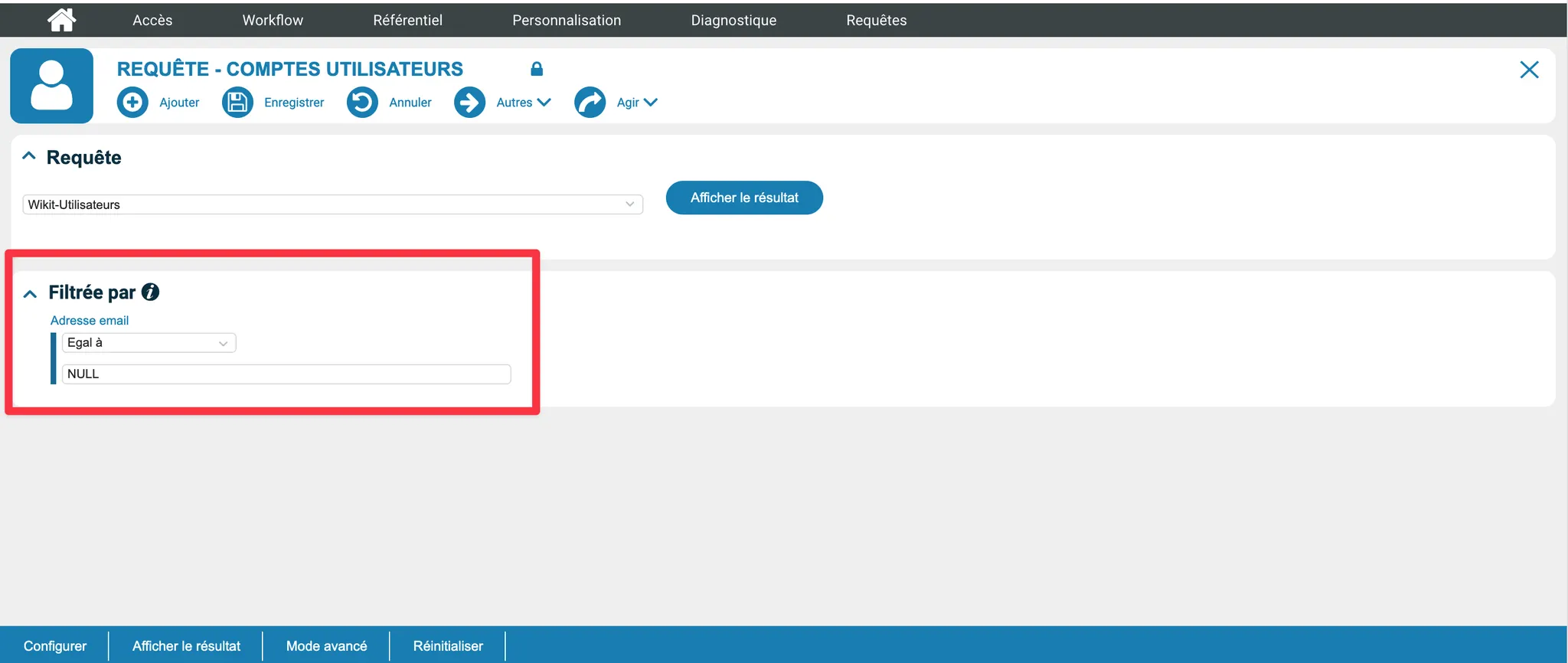
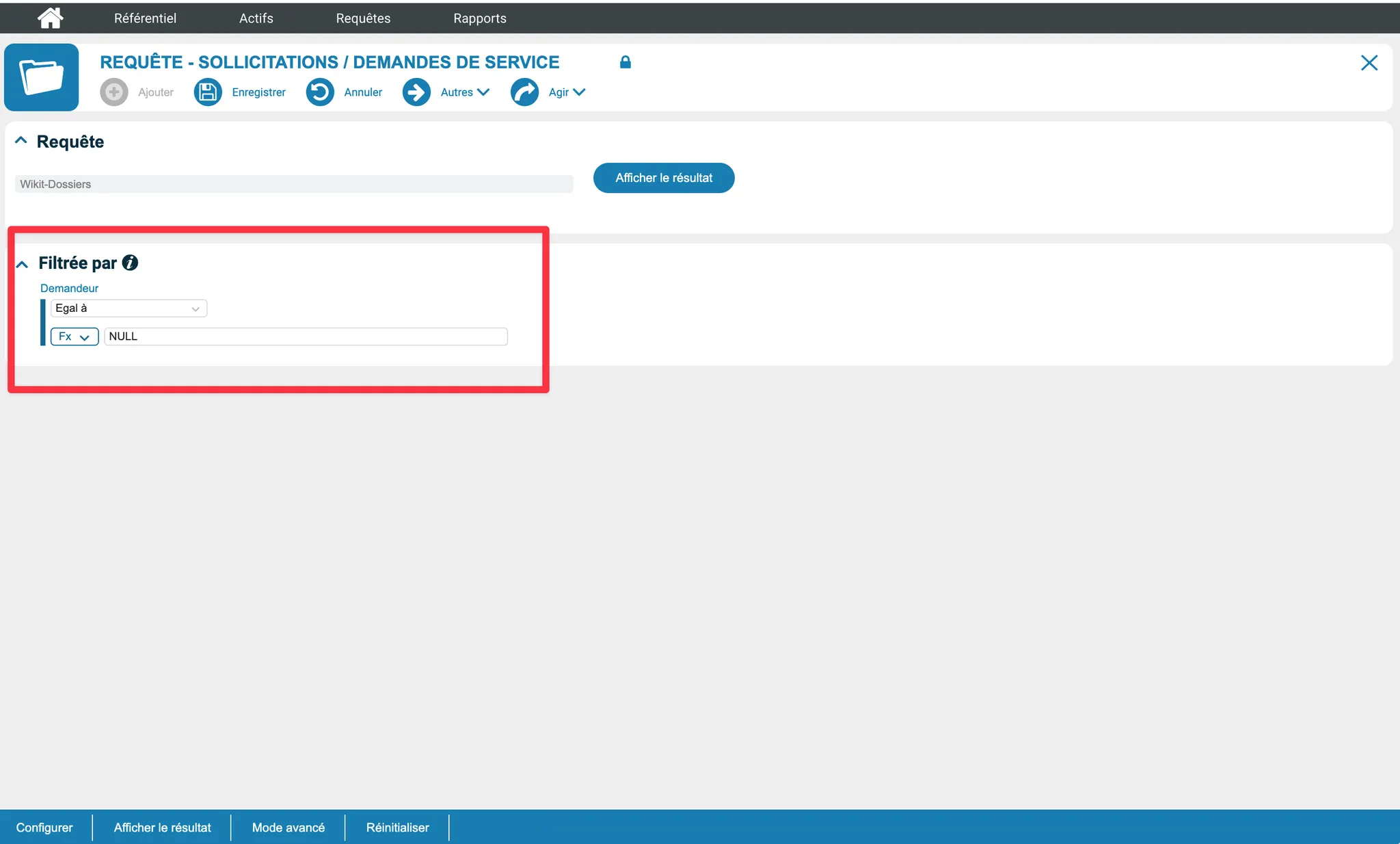
Then add a filter on "Email address" Equal to "NULL"
Site Query
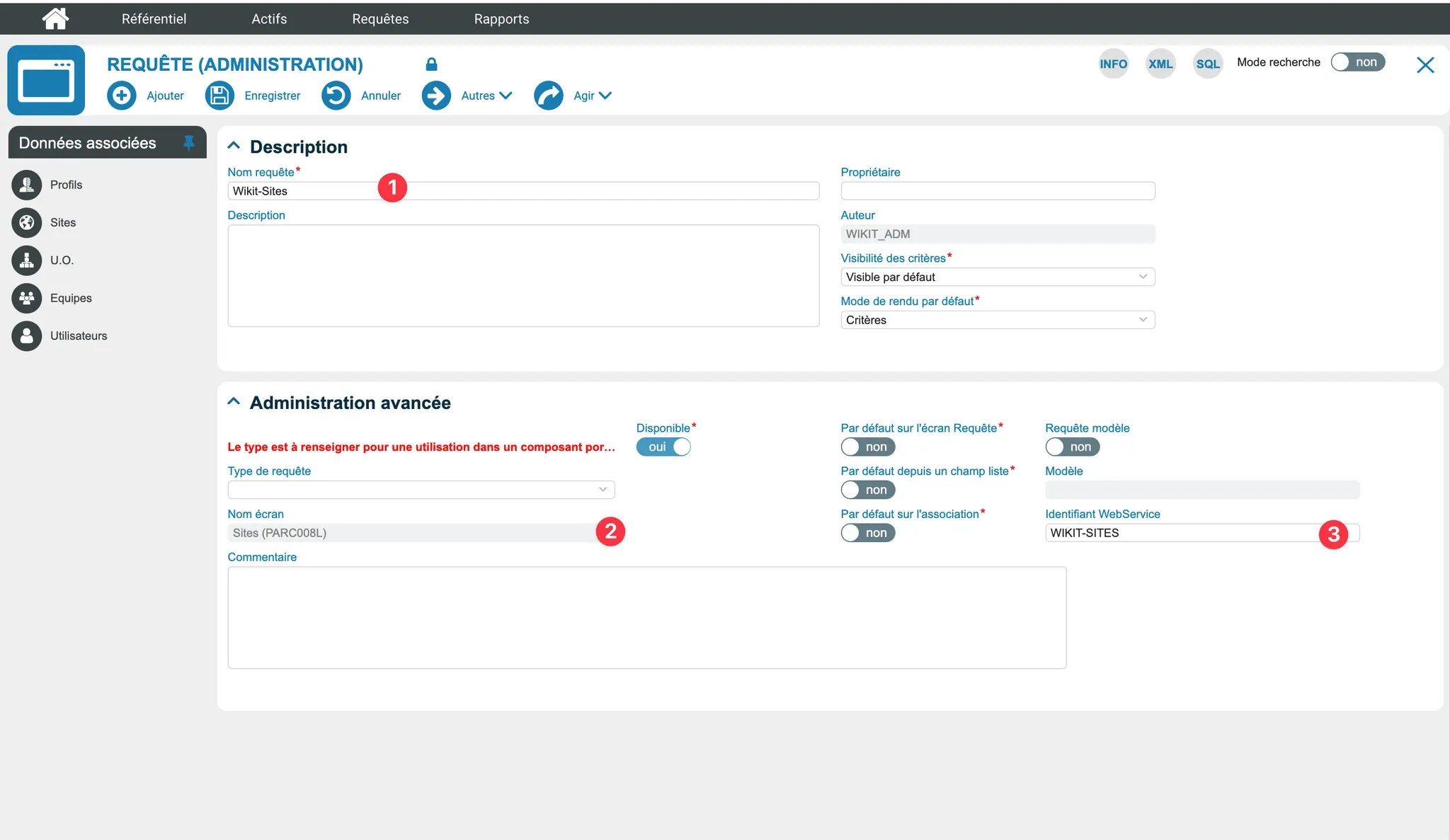
You will need to create a query as follows:
- Query Name: Wikit-Sites
- Screen Name: Sites (PARC008L)
- WebService Identifier: WIKIT-SITES

Organizational Units Query
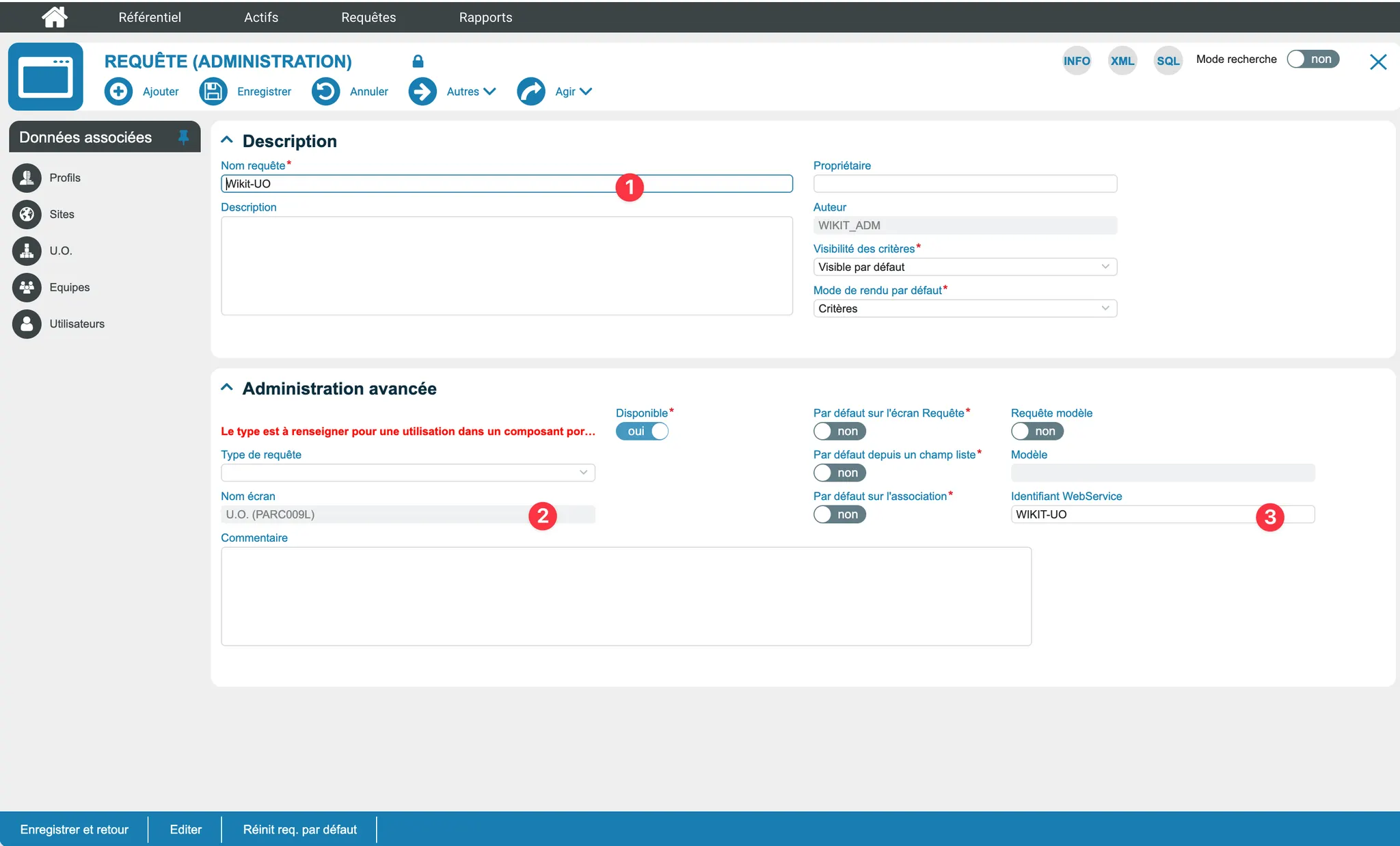
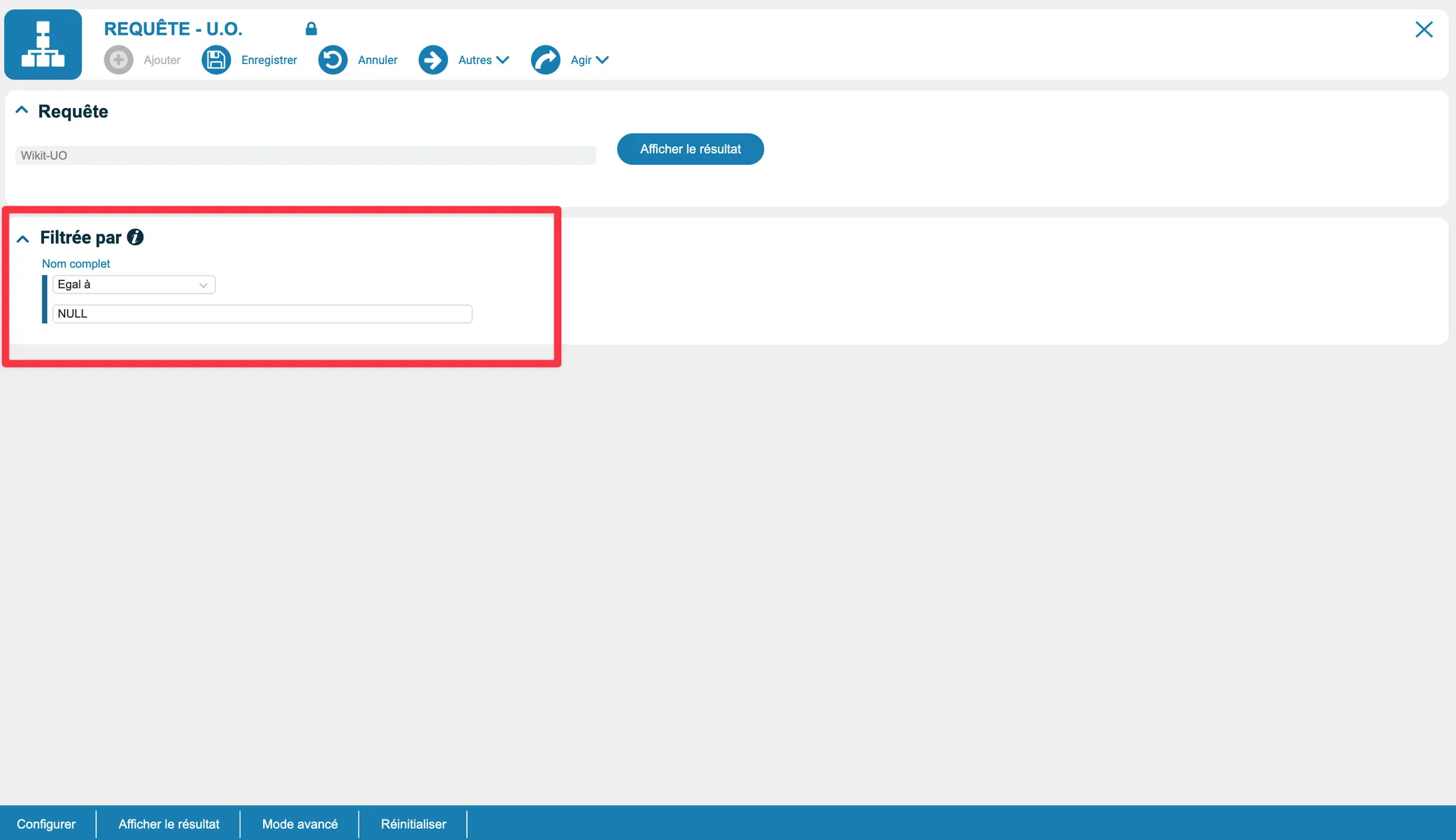
You will need to create a query as follows:
- Query Name: Wikit-OU
- Screen Name: Sites (PARC009L)
- WebService Identifier: WIKIT-OU
Tickets Query
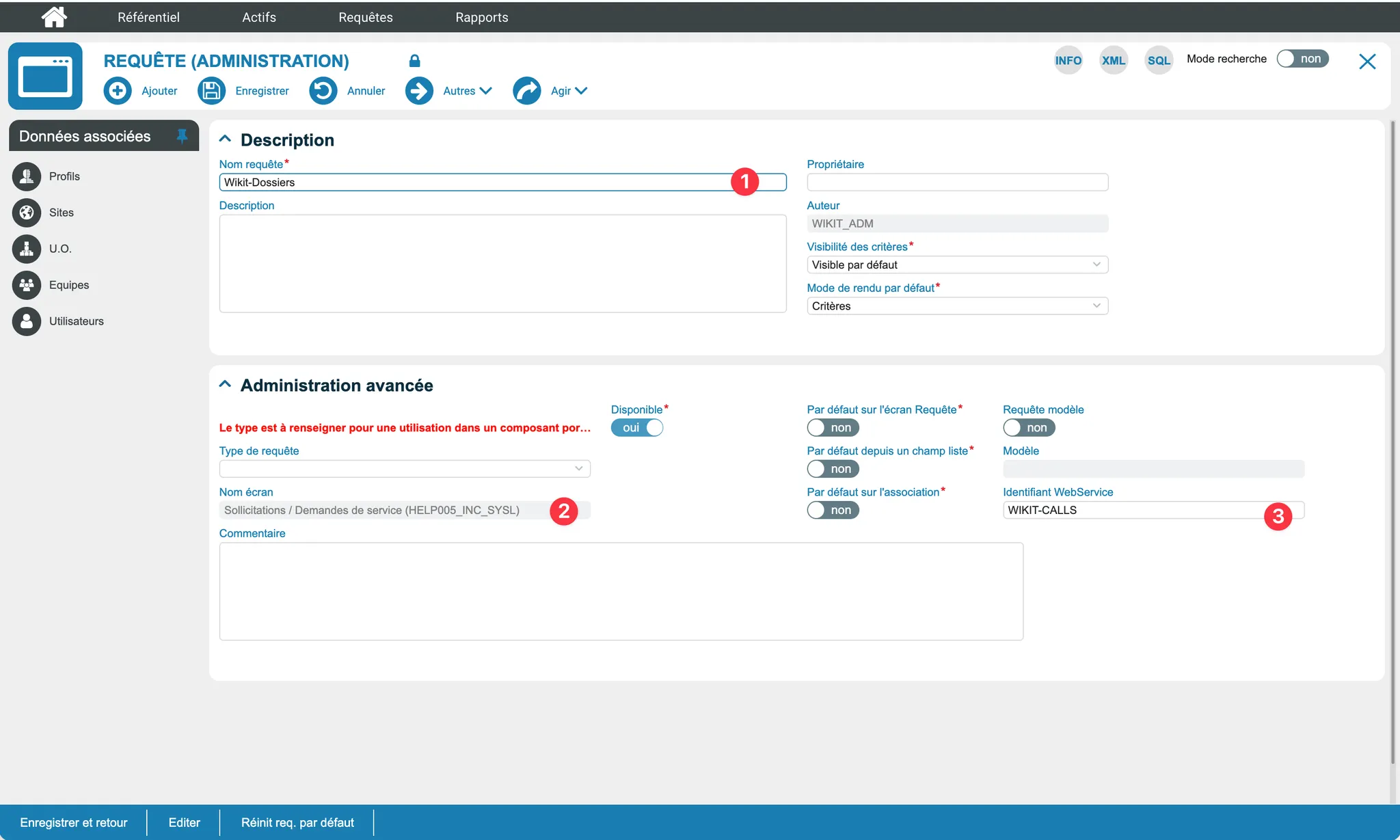
You will need to create a query as follows:
- Query Name: Wikit-Tickets
- Screen Name: Requests / Service Requests (HELP005_INC_SYSL)
- WebService Identifier: WIKIT-CALLS
Services Query
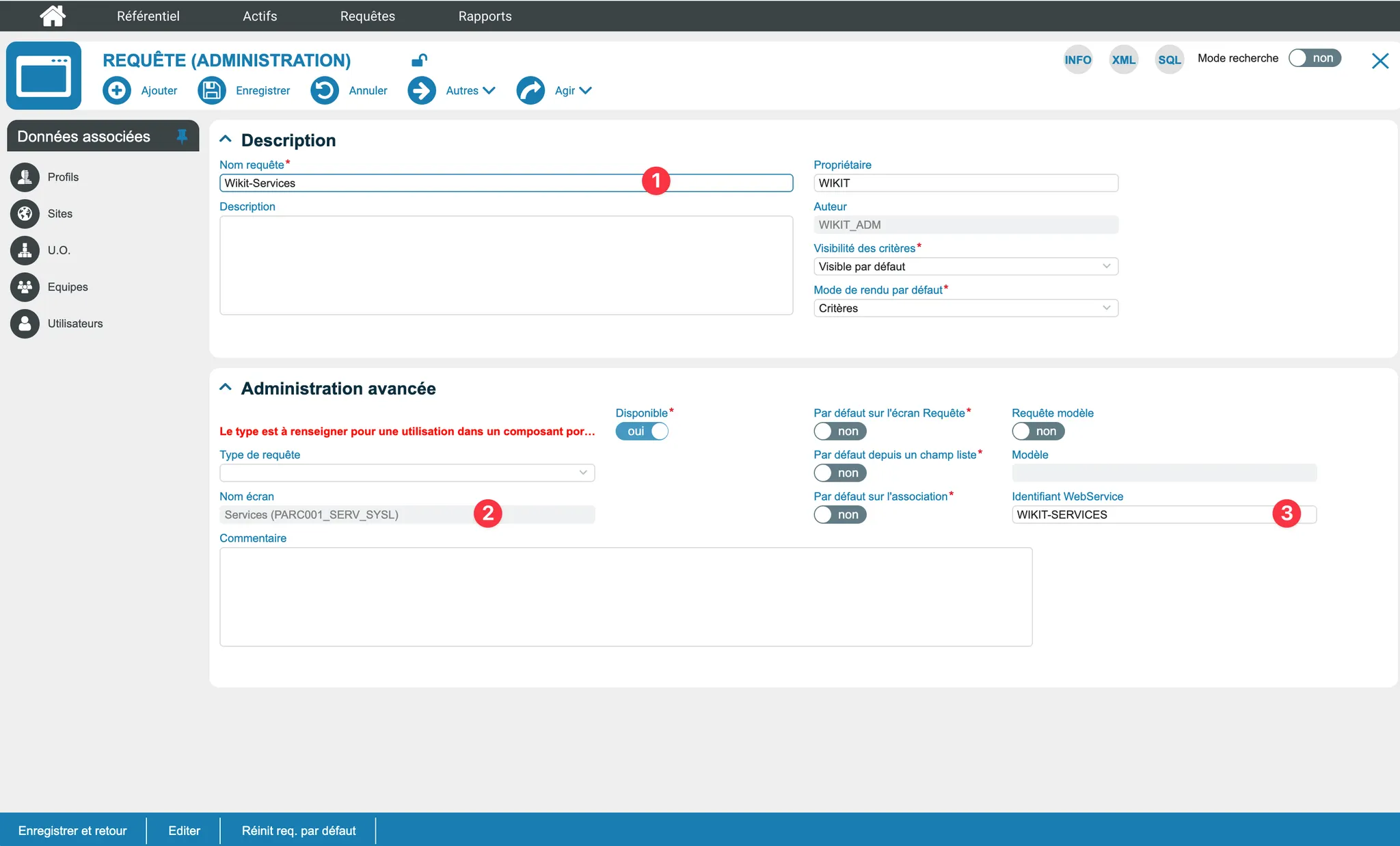
You will need to create a query as follows:
- Query Name: Wikit-Services
- Screen Name: Services (PARC001_SERV_SYSL)
- WebService Identifier: WIKIT-SERVICES
Categories Query
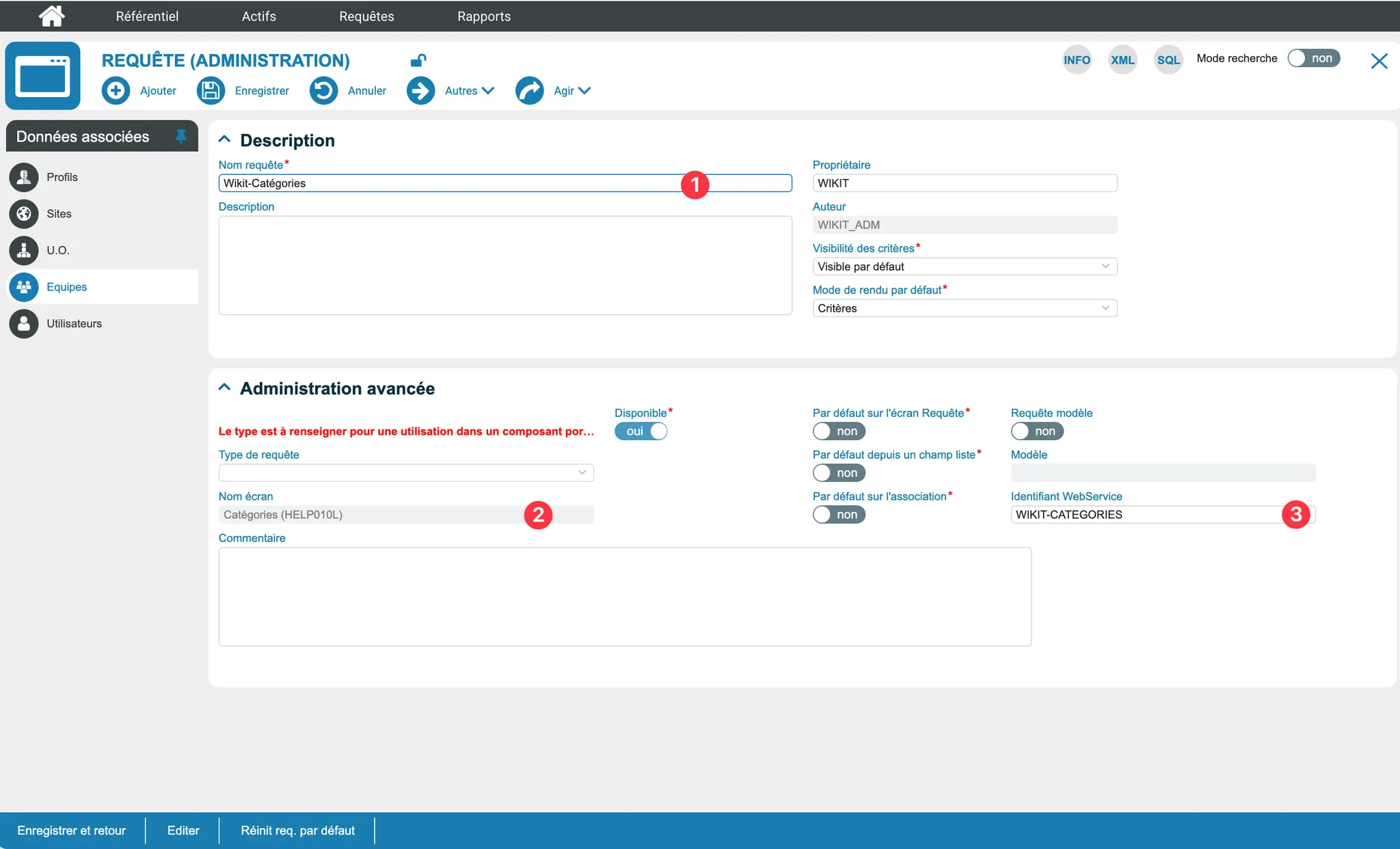
You will need to create a query as follows:
- Query Name: Wikit-Categories
- Screen Name: Services (PARC001_SERV_SYSL)
- WebService Identifier: WIKIT-CATEGORIES
How the Connector Works
Ticket Creation
From the Wikit Semantics chat, users can create an IWS ticket. The connector relies on the IWS queries created previously (Wikit-Tickets, Wikit-Users, Wikit-Sites, Wikit-OU, Wikit-Services, Wikit-Categories) to retrieve the necessary reference data and create the record via the IWS webservices.
IWS Categorization in Wikit Semantics
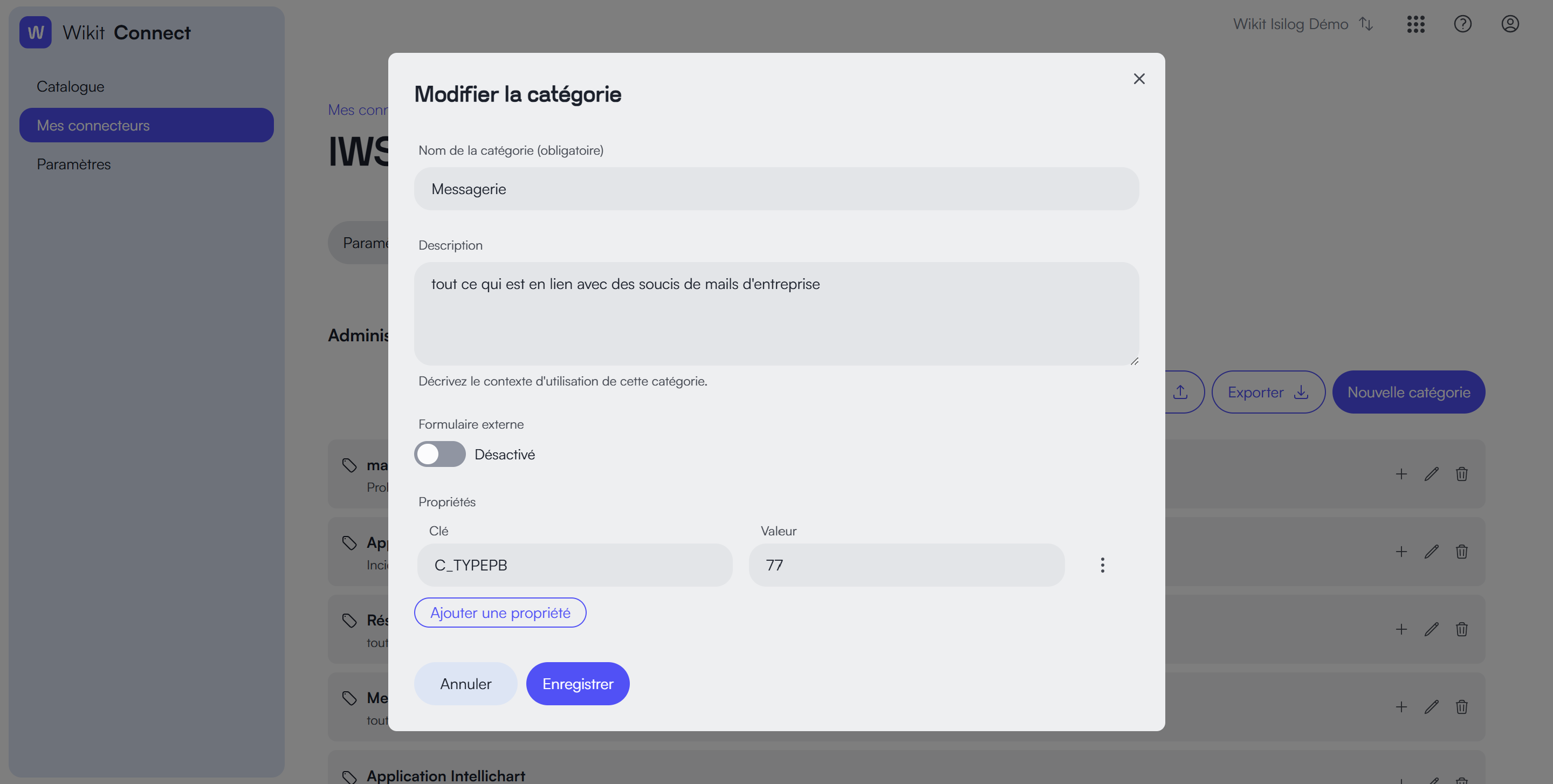
If you want to set up a categorization system in your Wikit Semantics application, please follow this online documentation while respecting the format of the IWS API: https://docs.wikit.ai/en/wikit_semantics/categorization_of_itsm_tickets
For example:
- the format for the category: C_TYPEPB
- the format for a service: C_OBJETSERVICE
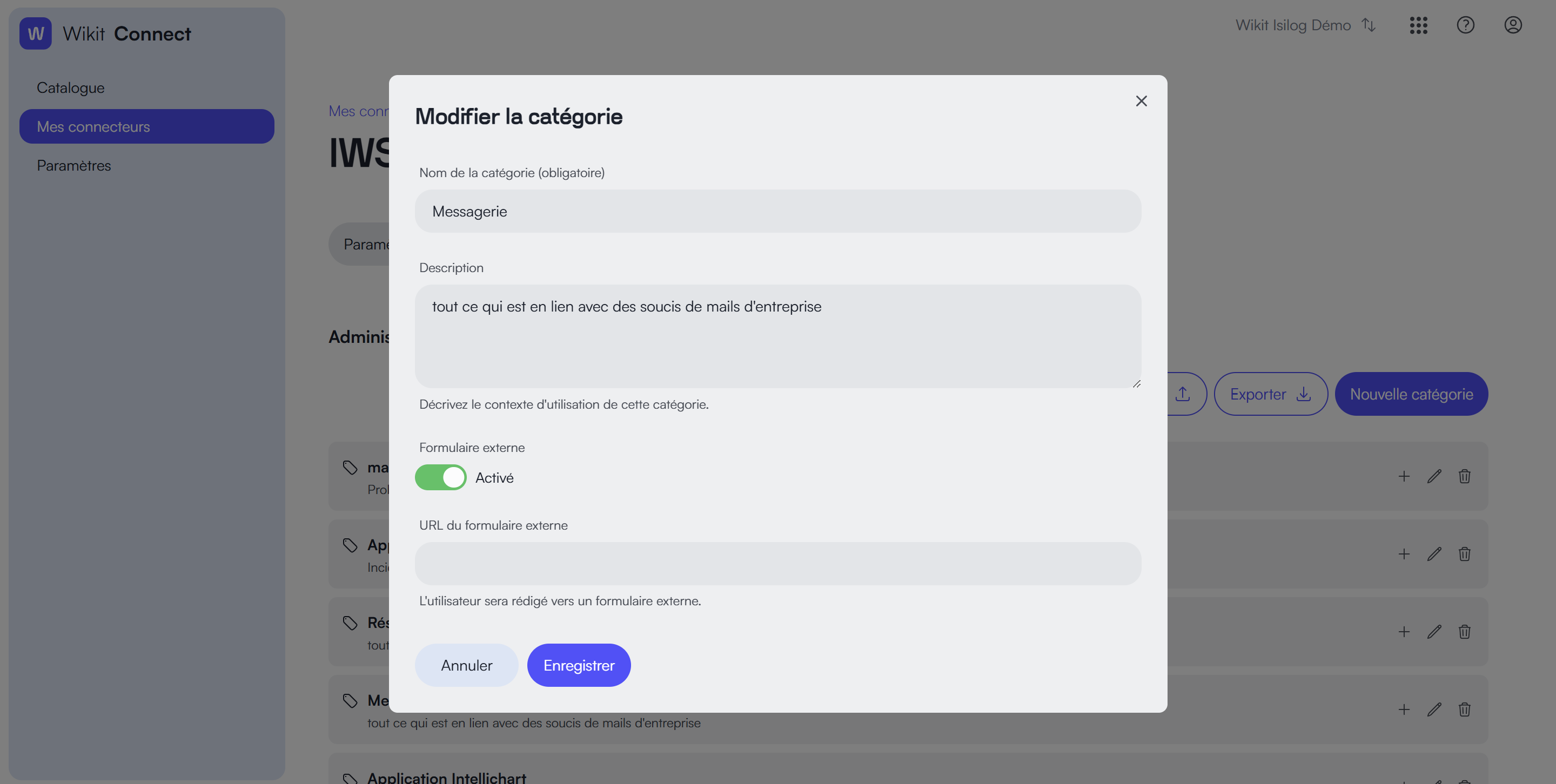
You can also simply use the redirection to an external form by activating the option:
Troubleshooting & FAQ
IWS webservices configuration in https
- Locate the
IWS.services.configfile in the C:\Program Files (x86)\Isilog\IsilogWebSystem\IsiWebSite\ directory. - In this file, ensure that the
HTTPSendpoint lines are uncommented and theHTTPones are commented. - Restart
IISIsiTaskManager
Example of the IWS.services.config file with HTTPS configuration:
<services>
    <service name="IsiWeb.IsiQueryService" behaviorConfiguration="IsiWeb.IsiServiceBehavior">
        <!-- [PB0021057] The configuration is HTTPS by default -->
        <!-- <endpoint address="" behaviorConfiguration="IsiWeb.IsiQueryServiceAspNetSoapBehavior" binding="wsHttpBinding" bindingConfiguration="wsHttpBindingConfiguration" contract="IsiWeb.WebServices.IIsiQueryService"/> -->
        <!-- [ARAN] 04/04/2017 - [PB0016779] Line for https configuration -->
        <endpoint address="" behaviorConfiguration="IsiWeb.IsiQueryServiceAspNetSoapBehavior" binding="wsHttpBinding" bindingConfiguration="wsHttpsBindingConfiguration" contract="IsiWeb.WebServices.IIsiQueryService" />
    </service>
    <service name="IsiWeb.IsiWsAssistantCABService" behaviorConfiguration="IsiWeb.IsiServiceBehavior">
        <!-- [PB0021057] The configuration is HTTPS by default -->
        <!-- <endpoint address="" behaviorConfiguration="IsiWeb.IsiWsAssistantCABServiceAspNetSoapBehavior" binding="wsHttpBinding" bindingConfiguration="wsHttpBindingConfiguration" contract="IsiWeb.WebServices.IIsiWsAssistantCABService"/>-->
        <!-- [ARAN] 04/04/2017 - [PB0016779] Line for https configuration -->
        <endpoint address="" behaviorConfiguration="IsiWeb.IsiWsAssistantCABServiceAspNetSoapBehavior" binding="wsHttpBinding" bindingConfiguration="wsHttpsBindingConfiguration" contract="IsiWeb.WebServices.IIsiWsAssistantCABService" />
    </service>
    <service name="IsiWeb.IsiAttachmentService" behaviorConfiguration="IsiWeb.IsiServiceBehavior">
        <!-- [PB0021057] The configuration is HTTPS by default -->
        <!-- <endpoint address="" behaviorConfiguration="IsiWeb.IsiAttachmentServiceAspNetSoapBehavior" binding="wsHttpBinding" bindingConfiguration="wsHttpBindingConfiguration" contract="IsiWeb.WebServices.IIsiAttachmentService"/> -->
        <!-- [ARAN] 04/04/2017 - [PB0016779] Line for https configuration -->
        <endpoint address="" behaviorConfiguration="IsiWeb.IsiAttachmentServiceAspNetSoapBehavior" binding="wsHttpBinding" bindingConfiguration="wsHttpsBindingConfiguration" contract="IsiWeb.WebServices.IIsiAttachmentService" />
    </service>
</services>
"Your profile is not authorized to consume this webservice. Web Service authentication failed."
In IWS, go to the "Administration" / "Access" / "Profiles" section.
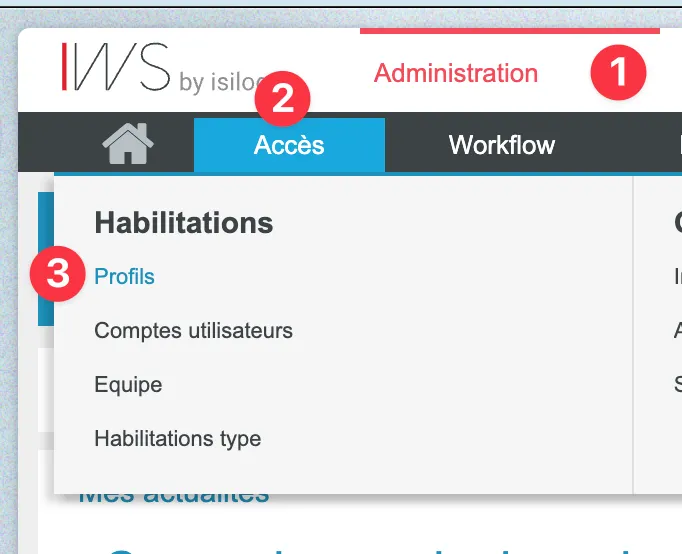
Choose the administrator profile (or another if a specific profile has been created) and open the "Parameters" section of this profile.
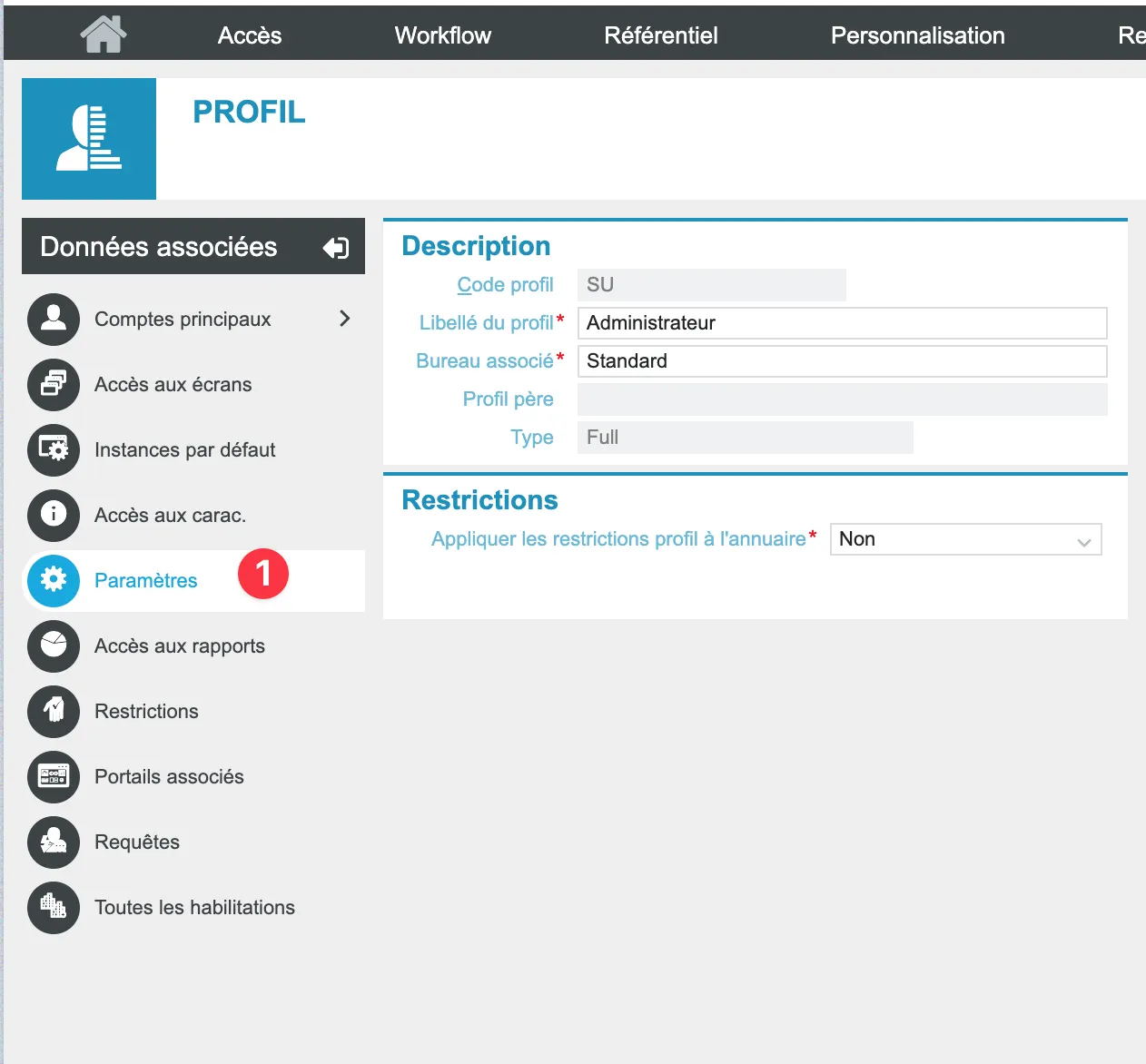
In the parameters, verify that the services: IsiHelpDeskService and IsiQueryService are correctly configured as shown in the screenshots below.